Getting to know your Alba Flip Phone
You’ll be up and running in no time
Getting to know your phone
24
If you require any technical guidance or find that your product is not operating as intended, a simple solution can often be found in the
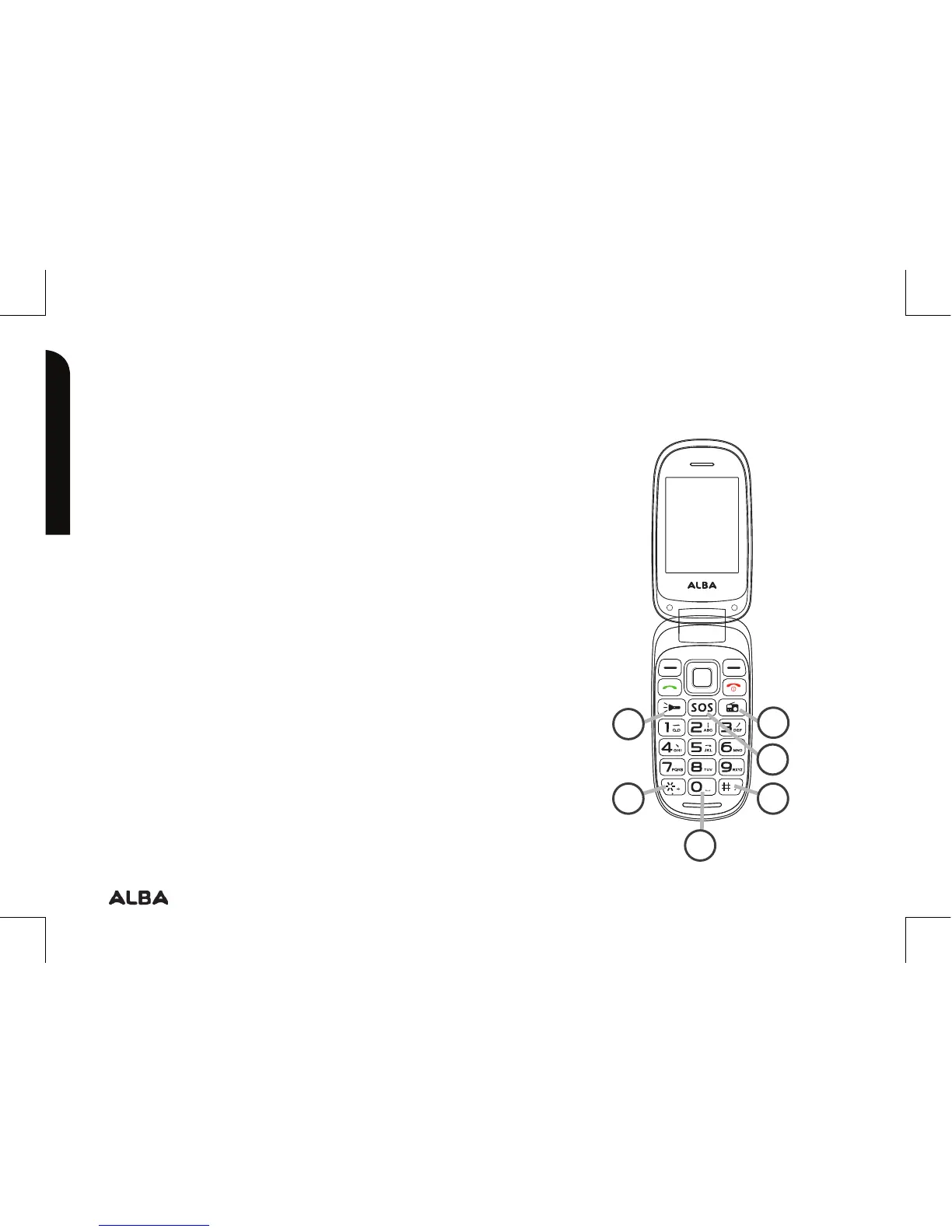
Button description
6. Torch: press to turn ON/OFF
7. Radio: to browse radio stations
8. SOS: to make a SOS call
9. * Key: press to popup the symbols
screen when entering text.
10. # Key: in standby mode, Long press #
key can switch between the silent mode
and General mode. Press to switch the
input methods when entering text.
11. 0 Key: press to enter Space when
editing text..
?
6
7
8
10
11
9


 To Next Page