Getting to know your Alba Flip Phone
You’ll be up and running in no time
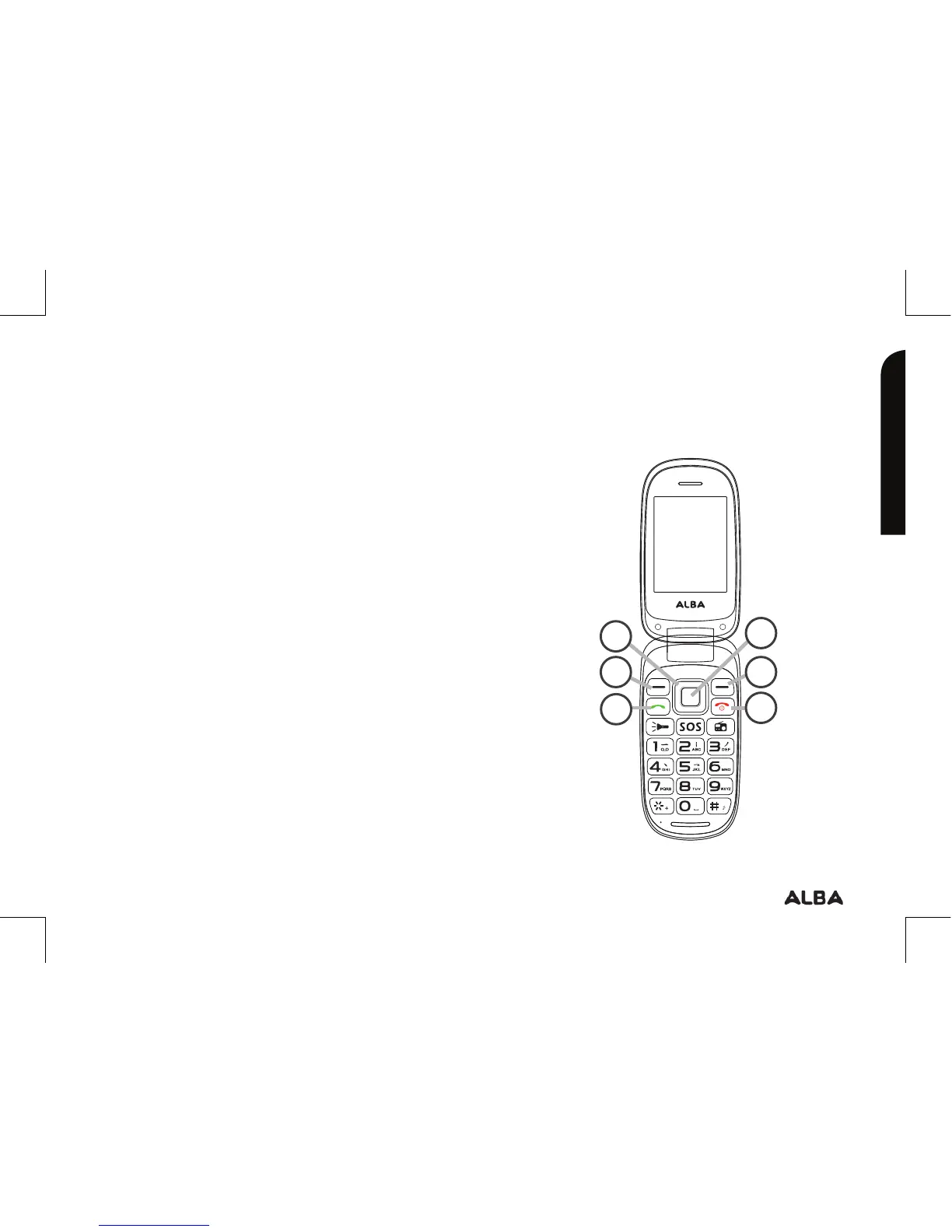
Button description
Getting to know your phone
23
Troubleshooting section of these instructions, or online at www.argos-support.co.uk If you still require further assistance, call one of our
experts on 0207 744 0346.
?
33
4
5
2
1
1. Navigation key: within a menu, press
Up, Down, Left or Right to scroll through
menu options. In standby mode, press to
access main menu.
2. OK key: press to access the main
menu in standby mode, press to confirm
a selection.
3. Left/Right soft key: press to perform
the function currently displayed in the
bottom left/right corner of the screen.
4. Dial key: answer all calls, make calls
from SIM1/SIM2 card, view call logs in
standby mode.
5. End/Power key: press and hold to turn
on/o the device, end a call or reject an
incoming call, return to the standby mode.


 To Next Page