87
• Move the joystick [21] forwards or backwards once again. This moves the different
setting options through the black bar.
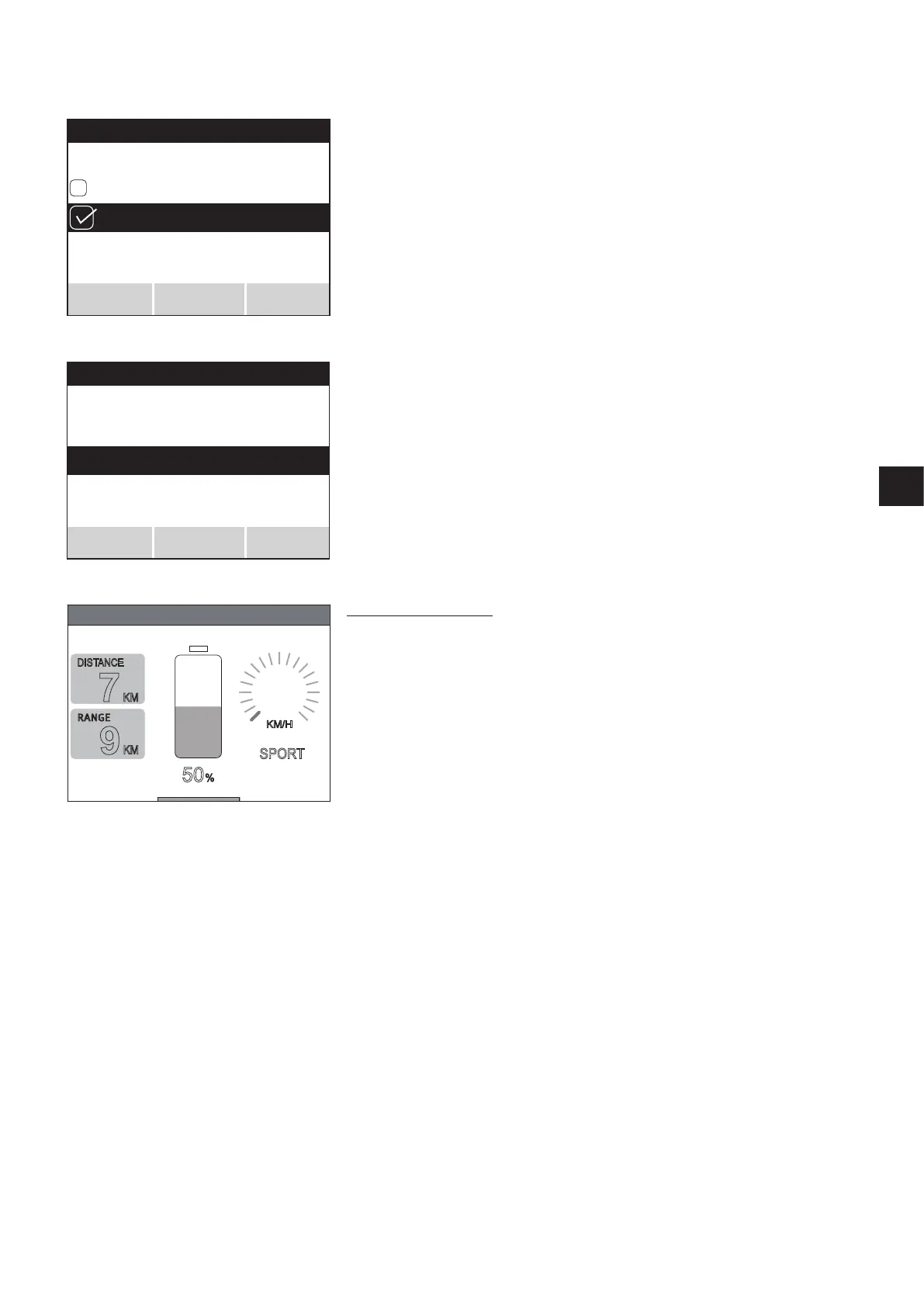
• If the required setting is highlighted by the black bar, it can be activated by pressing
button [23] or by moving the joystick [21] to the left or right. When the parameter is
active, a ticked square is displayed to the left.
• Press button [22] on the control unit to save the setting, or button [24] to exit the
menu without saving the chosen setting.
• You are now automatically taken back to the system setting level.
• In the setting system menu you can now
– Set further parameters,
– Leave the menu by pressing button [24]
– Test the changes you have made by pressing button [22].
Testing the changes made
• Pressing button [22] takes you directly to the user screen which now displays a purple
bar at the top of the screen with the words “test drive”.
• Test the changed parameters
• Exit the user screen by pressing button [23]. This automatically takes you back to the
system setting level where you can make further settings.
• When you have finished with the settings, press button [24] to go back to the user
screen.
2.4 “Indep.user mode” menu
Navigating to the menu and setting the parameters is performed in the same way as
described in detail in chapter 1.3. The parameters contained in the indep.user mode menu
relate to driving with the Esprit control unit. The parameters listed in chapter 1.1.2 can
be adapted:
2.5 “Attendant control” menu
The parameters contained in the attendant control menu relate exclusively to the intuitive
attendant control that is fitted to the Esprit and which is supplied by Alber as an accesso-
ry.
The parameters listed in chapter 1.1.3 can be adapted:
Immediately
30 sec
Menu function
Save
Back
Select
System setting
Brake applied
Automatic cut-off
Menu function
Test
Select
Back
KM/H
0
7
KM
9
KM
50
%
5
.
Test drive
DISTANCE
RANGE
SPORT



 To Next Page