25
English
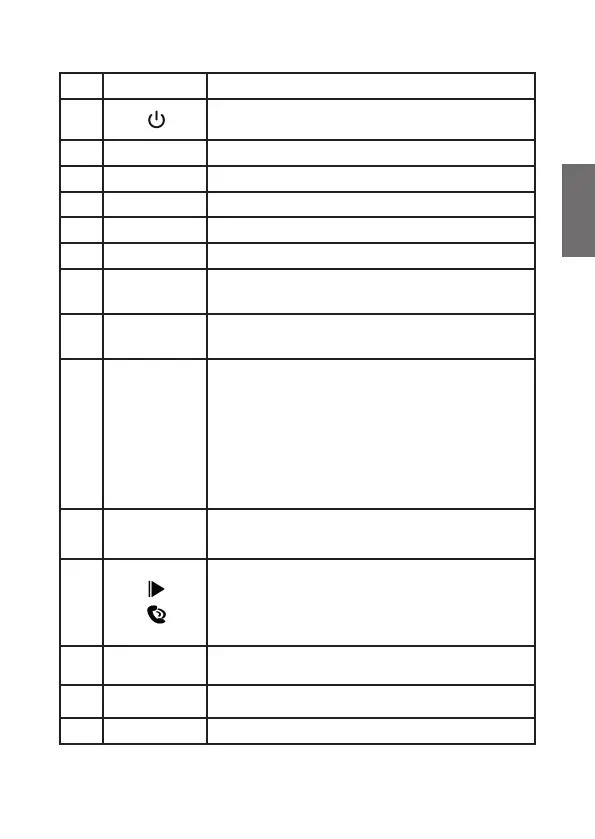
Description Function
1
Press to switch ON
Long press to switch to Standby
2
Antenna Socket for the DAB/DAB+ antenna
3
Aux out Audio out socket
4
Aux in Audio in socket
5
Micro USB Micro USB port for power supply
6
Magnetic mounting plate
7
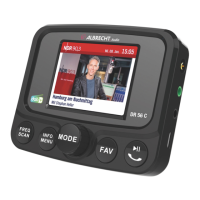
FREQ
SCAN
FM transmission frequency setting
Long press to perform a DAB+ scan
8
INFO
MENU
Press to view the DAB+ station list
Long press to enter the menu
9
◄ ►
OK
MODE
Volume
Rotate to navigate
Rotate, next/previous station
Rotate, next/previous song (SD-Player)
Press to con rm the selection
Press to change the mode
Long press to adjust the volume
Rotate to adjust the volume
10
FAV
Press to open the favourites list
Long press to save a favourite
11
Play/Pause button (Bluetooth/SD-Player)
Phone button
Press once: accept/hang up call
Press twice: reject call
12
Display TFT colour display
13
Mic Built-in microphone for hands-free operation
14
Micro SD SD player slot for Micro SD card



 To Next Page