28
English
4. Connecting the DR56+ to the car radio
You can either send the audio signal via FM transmitter or
transmit it directly with the 3.5mm audio cable via the Aux out
(audio out) output to your car radio.
4.1. Setting the FM transmitter frequency
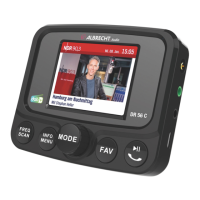
• Press the FREQ button and then rotate the ◄► knob
until you nd the desired free frequency.
• The transmission frequency is displayed at the bottom of
the screen as TX frequency (e.g. 107.0Mhz) during the
setup, and constantly at the top right of the display.
Please note: "Free frequency" means that no FM station
and no interference signals are transmitted on the selected
frequency.
4.2. Connecting to the car radio via audio cable
• Plug the supplied 3.5mm audio cable into the AUX OUT
socket of the DR 56+ and into the line-in socket of your
car radio.
Please note: As soon as a plug is inserted in the AUX OUT
socket, transmission via FM transmitter is switched off!
4.3. Adjusting the volume
Press and hold the volume knob. A volume bar appears on the
display. You can now adjust the volume.



 To Next Page