29
English
5. Main functions
5.1. Search and select DAB/DAB+ stations:
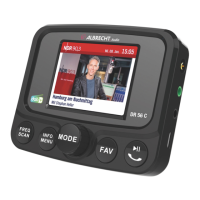
If you are not in DAB+ mode, press the MODE knob until
the "DAB+ Radio" mode is selected. Rotate the ◄► knob to
select the desired DAB/DAB+ station. You can also press the
INFO button to go to the station list. There you can select the
desired DAB+ station by rotating the ◄► knob and conrm by
pressing OK.
By pressing and holding the MENU button, you can also select
the DAB Autoscan menu item in the menu by rotating the ◄►
knob. This will allow you to restart the automatic station scan if
you want to update the list of DAB+ radio stations.
Please note: During normal use, you do not have to perform
the DAB scan again every time you use DAB+ radio. Only
perform a new scan if you are driving to a different area (for
example during travelling) where there are new/different DAB+
stations.



 To Next Page