www.albrechtgmbh.com
11
User Instructions
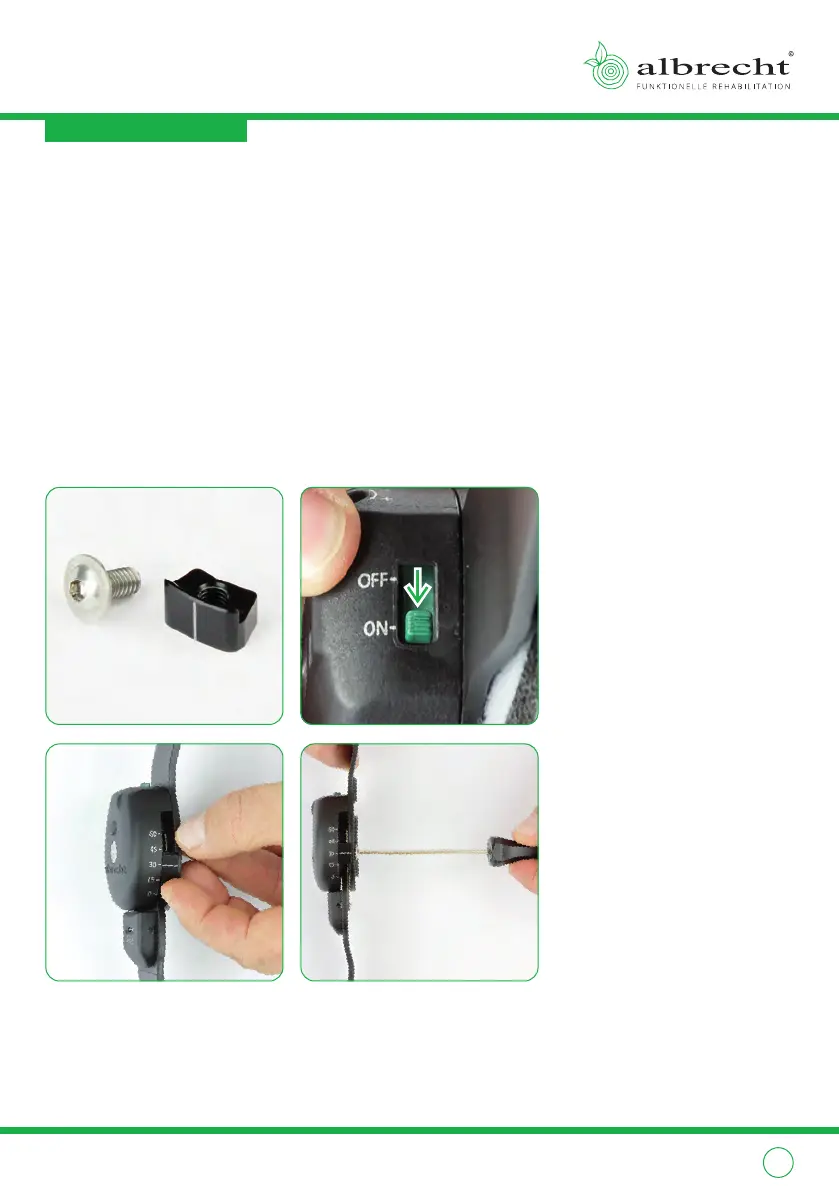
2.2.2. Inserting the stop wedge
1
Flexion can be limited with the stop wedge. All steps must be executed
identically with both hinges.
2
Before adjusting the flexion limitation you must activate the spring tension.
Turn the switches on both hinges to “on”. Bring the brace into flexion until
you feel a slight resistance that you have to overcome in order to activate the
spring tension.
3
On the side opposite of the three holes are five positions marked with the
degrees 0, 15, 30, 45 and 60. Insert the stop wedge in the desired position.
4
Fix the stop wedge with the supplied screw.
ONON
11
33 44
22



 To Next Page