EasyManua.ls Logo

Alcatel-Lucent Enterprise OpenTouch 8254 - User Manual

Alcatel-Lucent Enterprise OpenTouch 8254
61 pages
Print Icon
To Next Page IconTo Next Page
Loading...
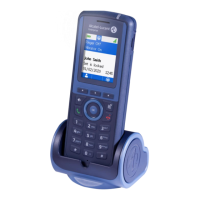
8254 DECT Handset
8234 DECT Handset
OpenTouch™ Suite for MLE
User Manual
8AL90387ENACed01a 08/2021

Table of Contents

Question and Answer IconNeed help?

Do you have a question about the Alcatel-Lucent Enterprise OpenTouch 8254 and is the answer not in the manual?

Summary

1 Getting to know your telephone

1.1 Phone description

Detailed overview of the handset's physical components, buttons, and icons.

1.2 Status icons

Explanation of icons indicating phone status, notifications, and signal strength on the screen.

1.3 MENU icons

Guide to icons used within the phone's menu system for accessing features and functions.

1.4 Call icons

Icons representing different call states, actions, and features during phone calls.

1.5 Accessing menus and navigation

Instructions on how to access and navigate through the phone's various menus and options.

2 Getting started

2.1 Unboxing and initial setup

Steps for unpacking the handset, checking contents, and initial setup procedures.

2.2 Battery installation

Procedure for correctly inserting and securing the battery into the handset.

2.3 Battery charging

Instructions for charging the handset's battery using single or dual chargers, and LED indicators.

2.4 Powering the telephone on;off

Guide on how to switch the handset on and off, and troubleshooting display issues.

3 Using your telephone

3.1 Terminal identification and messaging portal

How to identify the current terminal and access the messaging portal for events.

3.2 Call log and basic call functions

Managing call logs, making calls, and calling from the personal directory.

3.3 Receiving calls and directory access

How to answer calls, redial numbers, and call contacts by name from the company directory.

3.4 Redialing and callbacks

Redialing last numbers, requesting automatic callbacks, and consulting callback requests.

3.5 Text messaging and loudspeaker use

Sending text messages, using the loudspeaker for busy contacts.

3.6 Voice message handling

Sending voice message copies and recorded messages to numbers or lists.

3.7 Mailbox and text message consultation

Accessing and consulting voice mailbox and text messages.

3.8 Call forwarding and diversion types

Forwarding calls immediately and managing different types of call diversions.

3.9 Absence messages and voice mailbox diversion

Programming absence messages and diverting calls directly to the voice mailbox.

3.10 Associate and overflow number setup

Programming associate and overflow numbers for call routing.

3.11 Call pick-up and hunting groups

Answering general bells, using call pick-up, and managing hunting groups.

3.12 Hunting group management

Temporary exit from and return to hunting groups.

4 During a conversation

4.1 Managing multiple calls

Making and receiving second calls, and switching between active and held calls.

4.2 Call transfer and conference

Procedures for transferring calls and setting up three-way conferences.

4.3 Call parking and DTMF signals

Placing outside calls on hold (parking) and activating/deactivating DTMF signals.

5 Programming your telephone

5.1 Voice mailbox setup and password

Initializing the voice mailbox and changing its password.

5.2 Audio and keypad settings

Adjusting ringtone, volume, ringer/vibrate modes, and keypad lock settings.

5.3 Telephone functions and system settings

Adjusting general functions, headset mode, and system language selection.

5.4 Personal directory management

Programming, modifying, and erasing contacts in the personal directory.

5.5 Appointment reminders and phone locking

Setting appointment reminders and locking/unlocking the telephone.

5.6 Modifying personal code

Changing the user's personal security code for enhanced protection.

6 Alarm notification call

6.1 Introduction to alarm services

Overview of alarm services, their activation, and configuration by an administrator.

6.2 Emergency call procedures

How to initiate emergency calls and acknowledge alarm notifications.

7 Registering the telephone

7.1 Initial system registration

Steps for registering the handset on an Alcatel-Lucent system for the first time.

7.2 Registering on other systems

Procedures for registering the telephone on additional DECT systems.

7.3 System and power mode selection

Selecting the DECT system and choosing the power mode (Normal/50mW).

7.4 Network and PIN code management

Displaying/modifying network names and changing the PIN code.

8 List of accessories

8.1 Belt clips, covers, and pouches

Information on various belt clips, covers, and vertical pouches for carrying the handset.

8.2 Chargers and power supply

Details on available desktop chargers, dual chargers, and power supply units.

8.3 Battery pack information

Presentation of the battery pack, autonomy, initial charge, and charge level indicators.

8.4 Headphone jack and cleaning procedures

Using the headphone jack and guidelines for cleaning and disinfecting the telephone.

9 Technical specifications

10 Ordering information

11 Declaration of compliance

RF exposure and user instructions

RF exposure limits, user instructions for temperature, and HAC compliance.

Acoustic shock protection compliance

Compliance with acoustic shock protection standards for user safety.

Summary

1 Getting to know your telephone

1.1 Phone description

Detailed overview of the handset's physical components, buttons, and icons.

1.2 Status icons

Explanation of icons indicating phone status, notifications, and signal strength on the screen.

1.3 MENU icons

Guide to icons used within the phone's menu system for accessing features and functions.

1.4 Call icons

Icons representing different call states, actions, and features during phone calls.

1.5 Accessing menus and navigation

Instructions on how to access and navigate through the phone's various menus and options.

2 Getting started

2.1 Unboxing and initial setup

Steps for unpacking the handset, checking contents, and initial setup procedures.

2.2 Battery installation

Procedure for correctly inserting and securing the battery into the handset.

2.3 Battery charging

Instructions for charging the handset's battery using single or dual chargers, and LED indicators.

2.4 Powering the telephone on;off

Guide on how to switch the handset on and off, and troubleshooting display issues.

3 Using your telephone

3.1 Terminal identification and messaging portal

How to identify the current terminal and access the messaging portal for events.

3.2 Call log and basic call functions

Managing call logs, making calls, and calling from the personal directory.

3.3 Receiving calls and directory access

How to answer calls, redial numbers, and call contacts by name from the company directory.

3.4 Redialing and callbacks

Redialing last numbers, requesting automatic callbacks, and consulting callback requests.

3.5 Text messaging and loudspeaker use

Sending text messages, using the loudspeaker for busy contacts.

3.6 Voice message handling

Sending voice message copies and recorded messages to numbers or lists.

3.7 Mailbox and text message consultation

Accessing and consulting voice mailbox and text messages.

3.8 Call forwarding and diversion types

Forwarding calls immediately and managing different types of call diversions.

3.9 Absence messages and voice mailbox diversion

Programming absence messages and diverting calls directly to the voice mailbox.

3.10 Associate and overflow number setup

Programming associate and overflow numbers for call routing.

3.11 Call pick-up and hunting groups

Answering general bells, using call pick-up, and managing hunting groups.

3.12 Hunting group management

Temporary exit from and return to hunting groups.

4 During a conversation

4.1 Managing multiple calls

Making and receiving second calls, and switching between active and held calls.

4.2 Call transfer and conference

Procedures for transferring calls and setting up three-way conferences.

4.3 Call parking and DTMF signals

Placing outside calls on hold (parking) and activating/deactivating DTMF signals.

5 Programming your telephone

5.1 Voice mailbox setup and password

Initializing the voice mailbox and changing its password.

5.2 Audio and keypad settings

Adjusting ringtone, volume, ringer/vibrate modes, and keypad lock settings.

5.3 Telephone functions and system settings

Adjusting general functions, headset mode, and system language selection.

5.4 Personal directory management

Programming, modifying, and erasing contacts in the personal directory.

5.5 Appointment reminders and phone locking

Setting appointment reminders and locking/unlocking the telephone.

5.6 Modifying personal code

Changing the user's personal security code for enhanced protection.

6 Alarm notification call

6.1 Introduction to alarm services

Overview of alarm services, their activation, and configuration by an administrator.

6.2 Emergency call procedures

How to initiate emergency calls and acknowledge alarm notifications.

7 Registering the telephone

7.1 Initial system registration

Steps for registering the handset on an Alcatel-Lucent system for the first time.

7.2 Registering on other systems

Procedures for registering the telephone on additional DECT systems.

7.3 System and power mode selection

Selecting the DECT system and choosing the power mode (Normal/50mW).

7.4 Network and PIN code management

Displaying/modifying network names and changing the PIN code.

8 List of accessories

8.1 Belt clips, covers, and pouches

Information on various belt clips, covers, and vertical pouches for carrying the handset.

8.2 Chargers and power supply

Details on available desktop chargers, dual chargers, and power supply units.

8.3 Battery pack information

Presentation of the battery pack, autonomy, initial charge, and charge level indicators.

8.4 Headphone jack and cleaning procedures

Using the headphone jack and guidelines for cleaning and disinfecting the telephone.

9 Technical specifications

10 Ordering information

11 Declaration of compliance

RF exposure and user instructions

RF exposure limits, user instructions for temperature, and HAC compliance.

Acoustic shock protection compliance

Compliance with acoustic shock protection standards for user safety.

Alcatel-Lucent Enterprise OpenTouch 8254 Specifications

General IconGeneral
BrandAlcatel-Lucent Enterprise
ModelOpenTouch 8254
CategoryHandsets
LanguageEnglish

Related product manuals