34
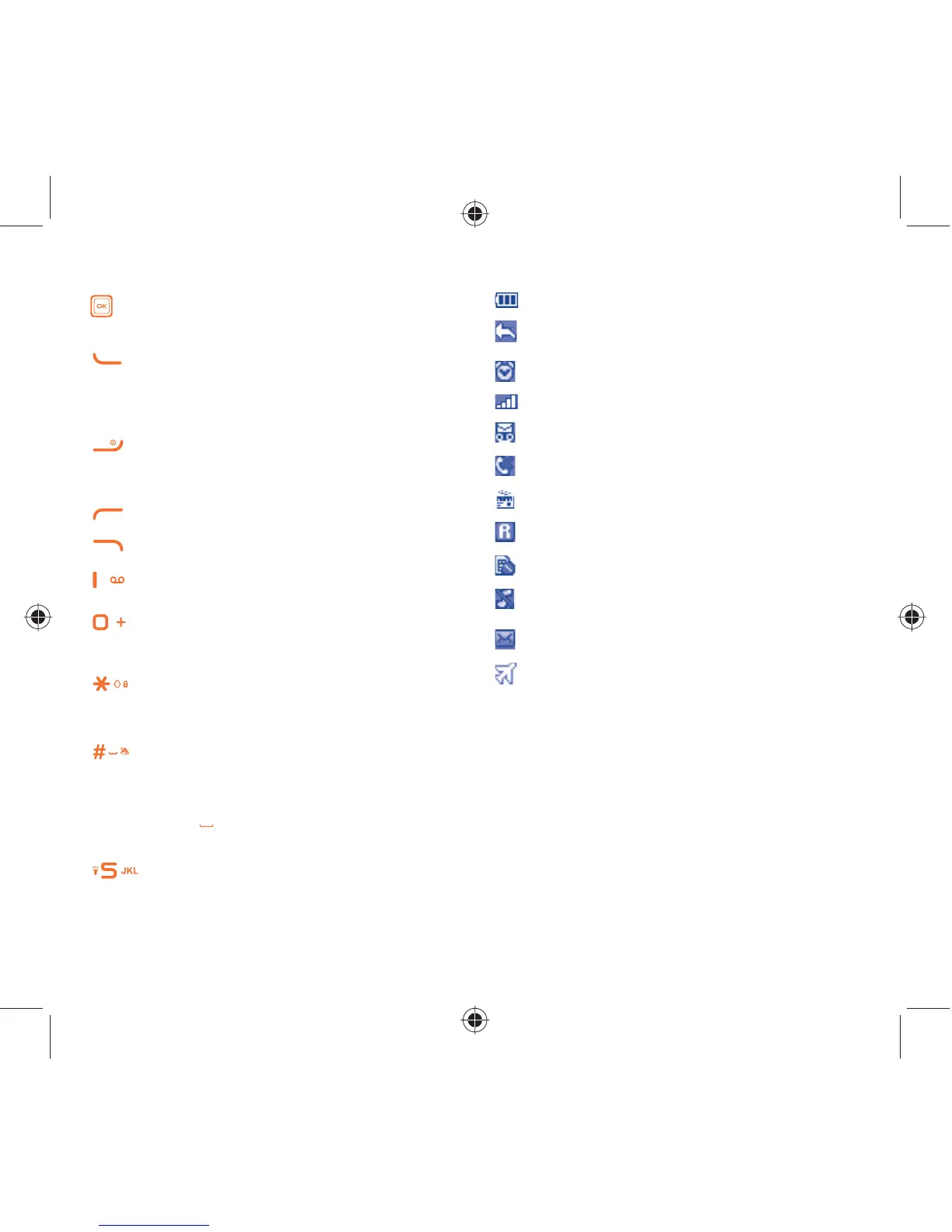
1.1 Keys
Navigation key
Confirm an option (press the middle of the key)
Answer
Send a call
In idle screen:
Access call log (Redial) (press)
Switch on/Switch off the telephone (press and hold)
End call
Return to idle screen
Left softkey
Right softkey
Access your voicemail (press and hold)
In Edit mode:
- Press: access the symbols table
- Press and hold: enter zero
In Edit mode:
- Press: change input methods
- Press and hold: access the language list
In idle screen:
- Press: #
-
Press and hold: activate/deactivate the silence mode
In Edit mode:
- Press:
(space)
From Idle screen
- Press: dial ‘5’
- Press and hold: switch on/off the torch
1.2 Main screen icons
(1)
Battery charge level.
Call forwarding activated: your calls are
forwarded.
Alarm or appointments programed.
Level of network reception.
Voicemail message arrived.
Missed calls.
Radio is on.
Roaming.
SIM card missing.
Silence mode: your phone does not ring, beep or
vibrate with the exception of the alarm.
SMS unread.
Flight mode.
(1)
The icons and illustrations in this guide are provided for information
purposes only.
IP4572_ALCATEL 1009A_QG_Eng_USA_04_140120.indd 3-4IP4572_ALCATEL 1009A_QG_Eng_USA_04_140120.indd 3-4 2014-1-20 15:09:222014-1-20 15:09:22



 To Next Page