31 32
12.2 Formats and compatibility
(1)
Sounds: MP3, AMR.
Images: jpg, gif, bmp.
Videos: avi, MPEG4 (may vary depending on specific product), 3gp.
13
Music ............................................
Access this feature from the main menu by selecting "
Music
".
You have full flexibility in managing music both on your phone and
microSD card.
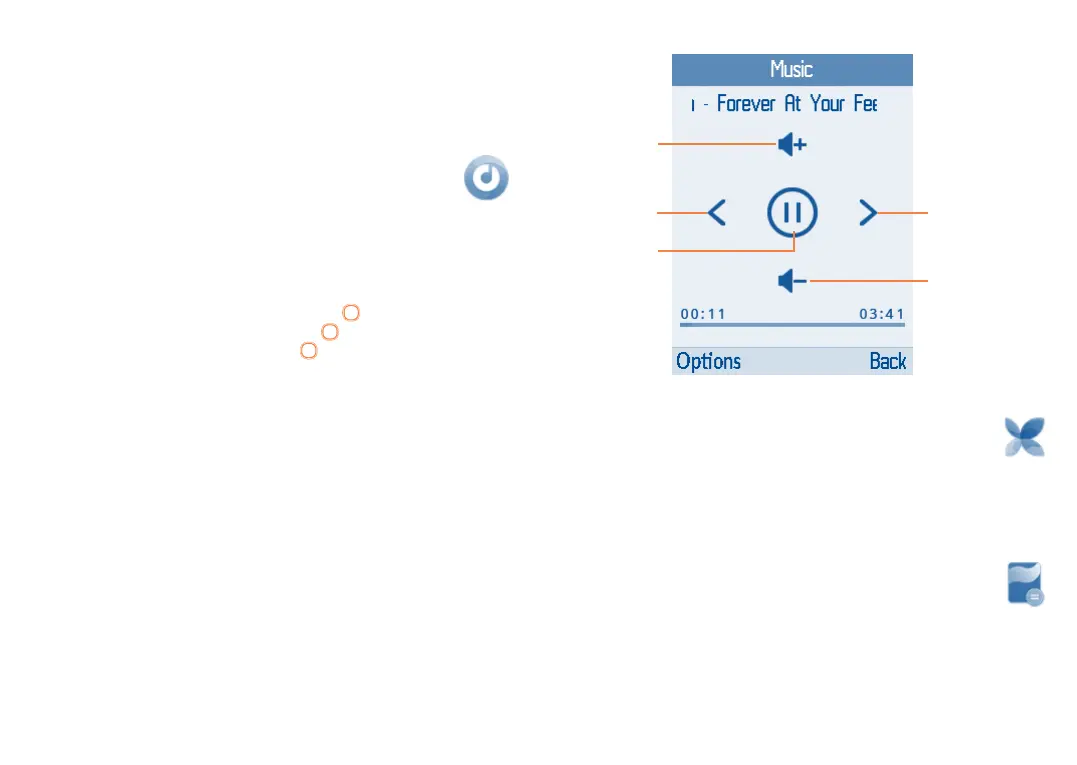
Use this function to play audio files. Press the
key to play/pause the
audio; short press the left or right on the key for previous or next
audio, press up or down on the on the
key to adjust the volume..
13.1 Music playing mode
Play/pause
Previous song Next song
Adjust the
volume up
Adjust the
volume down
14
Images ...........................................
Your images are stored in the "Photo gallery" library on your phone or
microSD card. Here, you can Set as wallpaper, Delete, Share by MMS
and bluetooth, Mark, Rename and Slideshow.
15
Calculator .....................................
Access this feature by selecting "Calculator" from the main menu.



 To Next Page