87
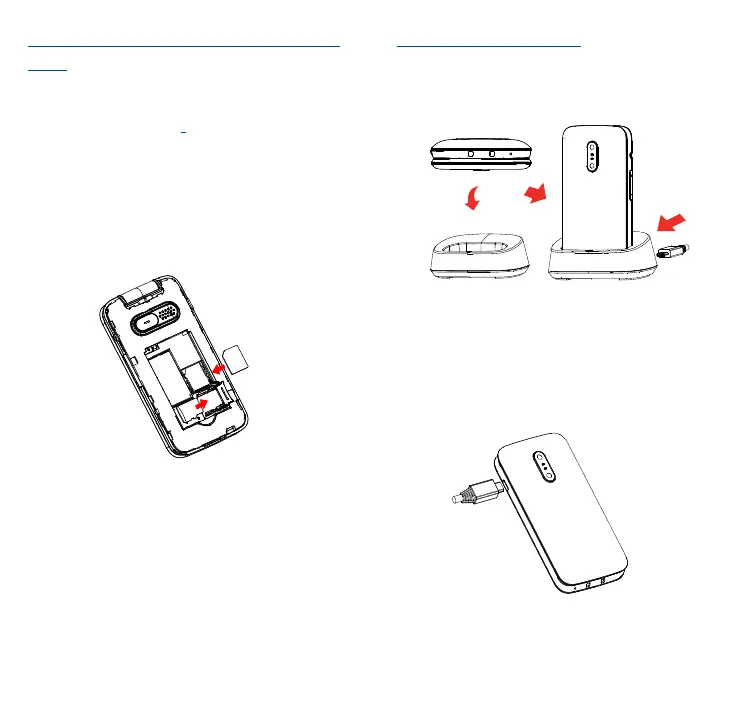
Inserting or removing the SIM/SD
card
You must insert your SIM card to
make phone calls. Place the SIM/SD
card with the chip facing downwards
and slide it into its housing. Make
sure that it is correctly inserted. To
remove the card, press and slide it
out.
SIM
SD
Charging the battery
The phone can be charged in the
following ways:
a.
To charge the phone, you can place
the cradle charging connector of the
phone to the cradle, then connect
battery charger to the cradle and
plug into the socket.
b.



 To Next Page