31 32
• Press Volume up and down keys at the same
time for 3 seconds to start an accessibility
feature when Volume keys shortcut is on. To
set, touch Settings > Accessibility > Volume
key shortcut.
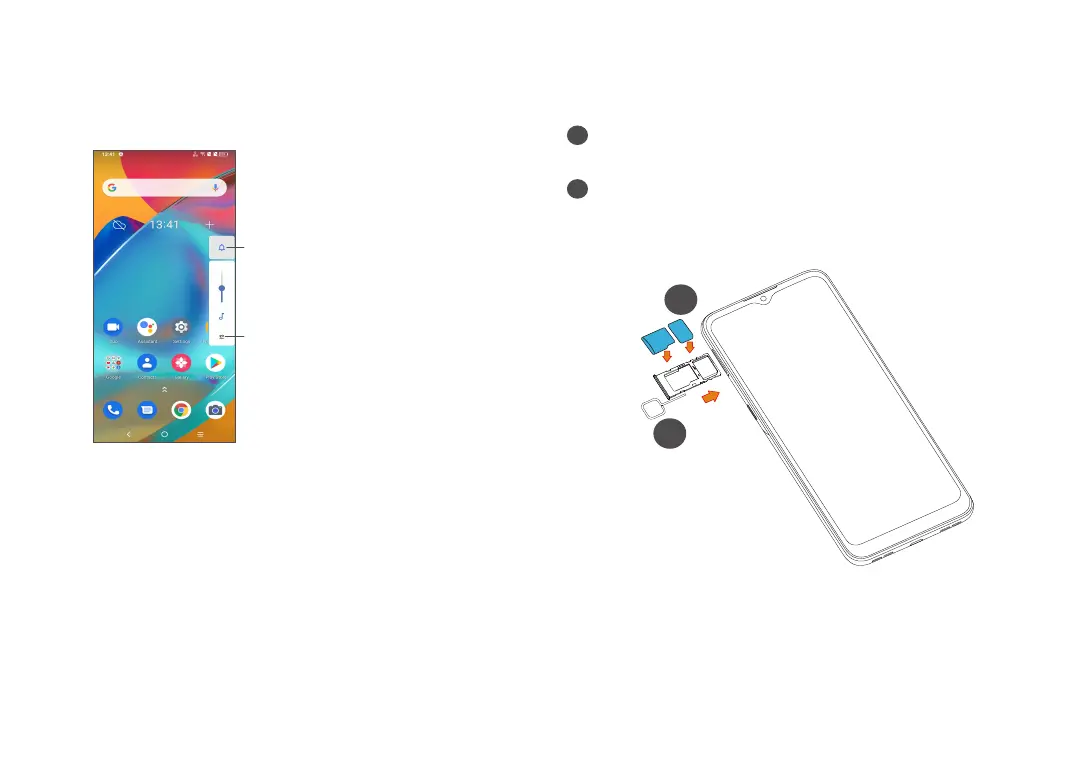
Touch to switch
between Sound,
vibrate and Mute
Touch to adjust the
volume of media,
calls, ringtones,
alarms or notifications
1.2 Getting started
1.2.1 Setting up
1
Insert the provided SIM pin into the hole and pull
out the SIM tray.
2
Place the SIM card or microSD card into the tray slot
and carefully close the SIM tray.
Single-SIM
SIM1
SIM2
SD
Micro
SD
SIM
2
1



 To Next Page