71 72
• Face Beauty: Touch to adjust skin smoothing and
enhance colouring effects in portraits.
• Mirror camera: Touch to turn on/off.
5.2 Gallery ...............................................
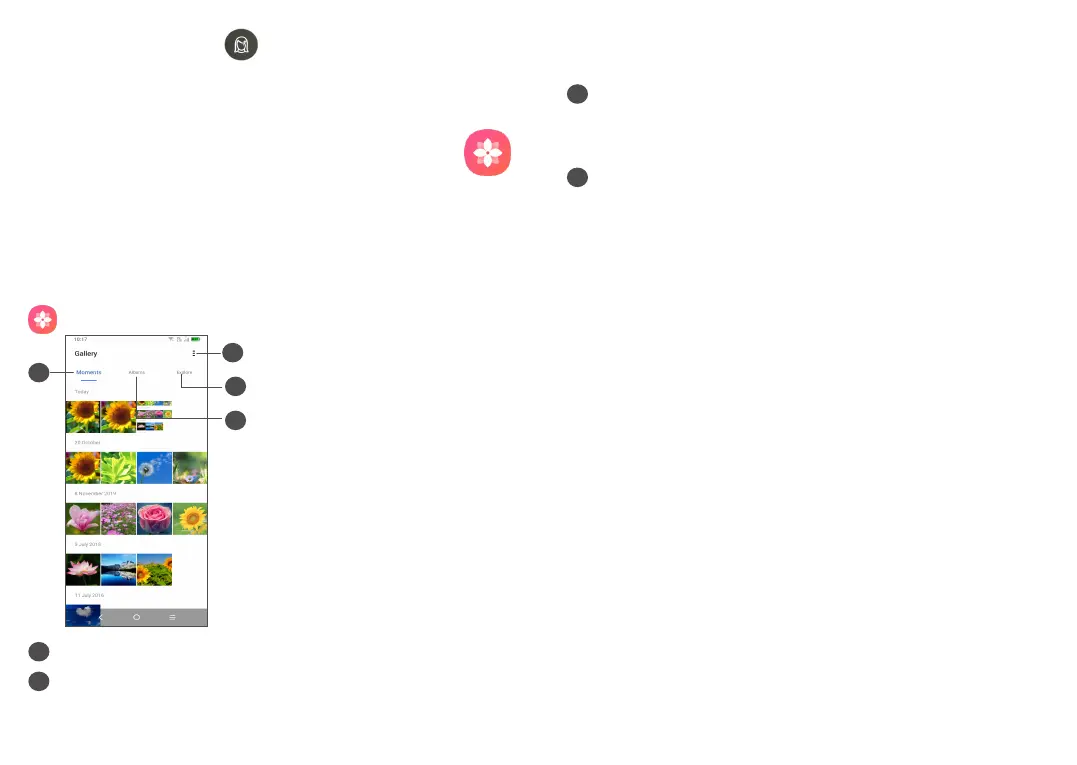
Gallery acts as a media player for you to view photos
and play videos. It also automatically analyses photos
and organizes them into groups, so that you can quickly
locate the photos you need.
To view, edit or share the photos/videos, touch Gallery
from the Home screen.
1
4
3
2
1
Tap to access more options
2
Explore
Explore collects photos into groups making them
more easy to find
3
Albums
Photos, videos, screenshots, etc. are all automatically
grouped in Albums
4
Moments
View the photos/videos you have just taken
Working with pictures and videos
You can work with pictures by rotating or cropping
them, sharing them with friends, setting them as a
contact photo or wallpaper, etc.
Find the picture you want to work on, and touch the
picture in the full-screen picture view.



 To Next Page