57 58
3
Touch to open available labels
Add to/Remove from favourites
(1)
To add a contact to favourites, you can touch a contact
to view details then touch to add the contact to
favourites.
To remove a contact from favourites, touch on the
contact details screen.
3.3.3 Editing your contacts
To edit contact information, touch in the contact
details screen.
When finished, touch Save.
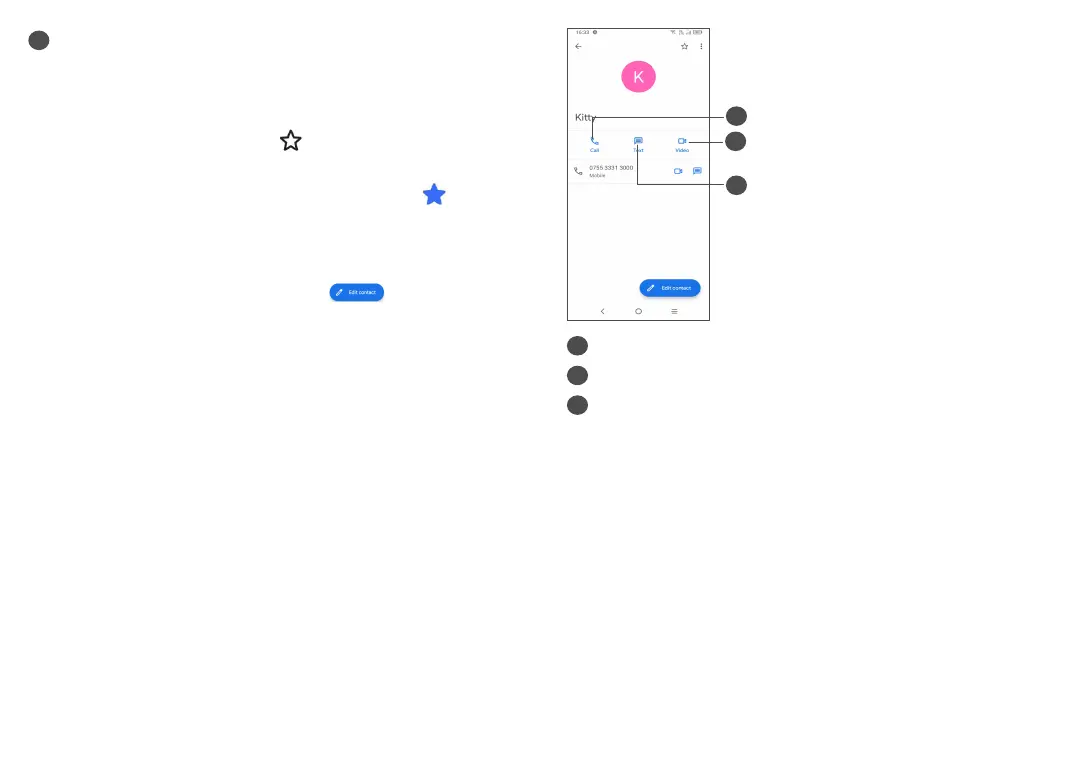
3.3.4 Use Quick contact panel
Touch a contact to open the Quick contact panel.
(1)
Only phone contacts and account contacts can be added
to favourites.
3
2
1
1
Touch to make a call
2
Touch to send a message
3
Touch to make a video call
The icons available on the Quick contact panel depend
on the information you have for the contact and the
applications and accounts on your phone.



 To Next Page