54
6.2 Chrome
Using Chrome, you can enjoy surfing the Web.
To surf the web, touch from Chrome the Home screen.
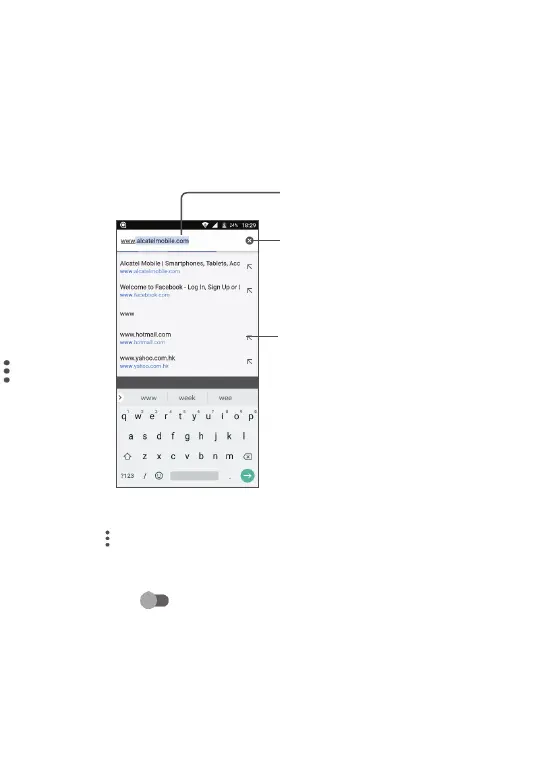
To go to a web page
On the Chrome screen, touch the URL bar at the top, enter the address of the web
page, then confirm.
Touch to delete all
contents
Touch to search and go
to this address
Touch to go to the
suggested web site
To set a homepage
• Touch the
icon from Chrome screen to display option menu, touch Settings\
Home page.
• Touch Open this page to enter URL as your homepage.
• Touch the switch
to turn on this function.
Viewing web pages
When opening a website, you can navigate on web pages by sliding your finger on the
screen in any direction to locate the information you want to view.



 To Next Page