29 30
2.2 Text editing
You can edit the texts you entered.
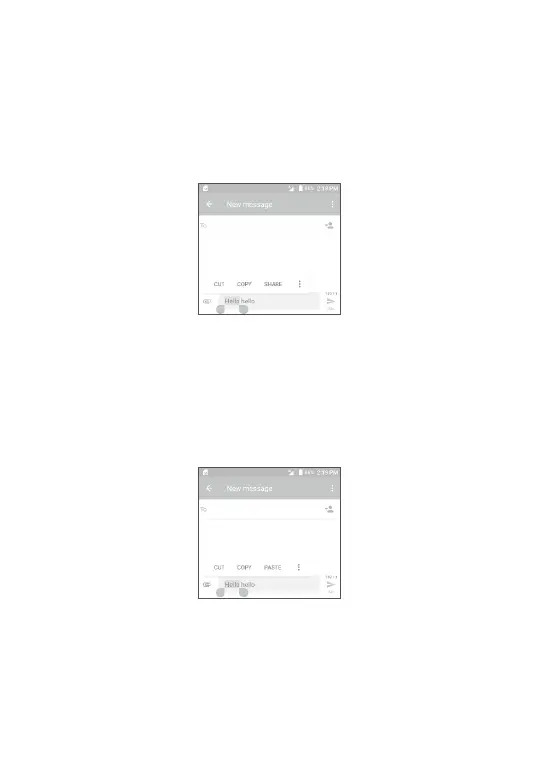
ŎLong press or double tap within the texts you want to edit.
ŎDrag the tabs to change the selected texts.
ŎThe following options will show: SELECT ALL, CUT, COPY and
SHARE.
You can also insert new texts if preferred
ŎTouch where you want to type, or long press a blank space, the
cursor will blink and the tab will show. Drag the tab to move the
cursor.
ŎIf you have cut or copied any text, touch the tab to show PASTE
which allows you to paste any text you have previously copied.
3
Call, Call log and Contacts ......
3.1 Call ...................................................................................
3.1.1 Making a call
To make a call, touch .
View the contact’s
detailed information.
You can also edit,
delete, share the
contact, or send a
message to the contact.
Call the
previewed
number
Show the dial pad
Call log
Contacts



 To Next Page