EasyManua.ls Logo

Alcatel GO FLIP V - User Manual

Alcatel GO FLIP V
64 pages
Print Icon
To Next Page IconTo Next Page
Loading...
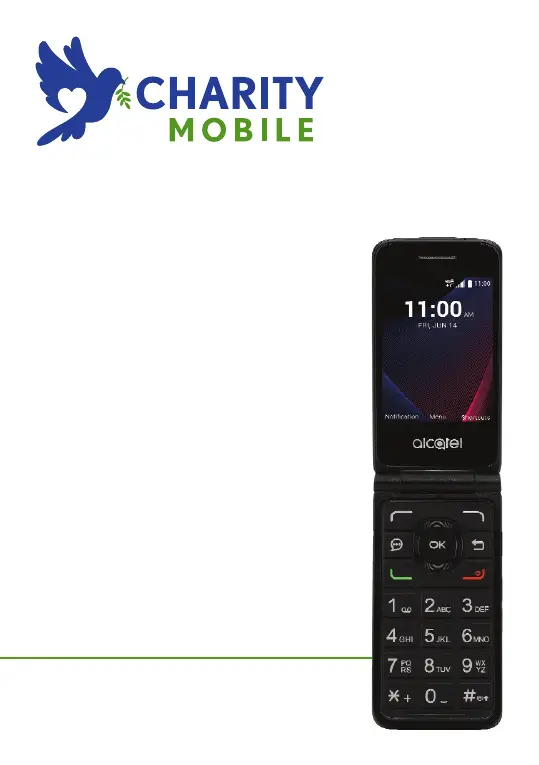
ALCATEL GO FLIP V
USER GUIDE

Other manuals for Alcatel GO FLIP V

Questions and Answers

  • A
    alexandra42Sep 3, 2025
    What to do if my Alcatel Cell Phone says 'Invalid SIM card'?
    • A
      Andrew LittleSep 4, 2025
      If your Alcatel Cell Phone displays an 'Invalid SIM card' error, ensure the SIM card is correctly inserted. Check that the chip on your SIM card is not damaged or scratched, and make sure the service for your SIM card is active.
  • A
    Angela KellySep 18, 2025
    Why am I unable to add a contact in my contacts on my Alcatel GO FLIP V Cell Phone?
    • S
      Stacy KennedySep 18, 2025
      If you are unable to add a contact to your Alcatel Cell Phone, make sure that your SIM card contacts are not full. You may need to delete some files or save the files in the device contacts.
  • J
    Joseph PayneSep 16, 2025
    Why am I unable to use the features described in the manual for my Alcatel Cell Phone?
    • J
      Jessica CarsonSep 16, 2025
      If you're unable to use the features described in the manual for your Alcatel Cell Phone, check with your carrier to ensure your subscription includes the service. Also, verify that the feature doesn't require an Alcatel accessory.
  • B
    Benjamin Washington DDSSep 14, 2025
    Why can't I find my contacts on my Alcatel GO FLIP V Cell Phone?
    • J
      Jason MooreSep 14, 2025
      If you can't find your contacts on your Alcatel Cell Phone, make sure your SIM card is not broken and is inserted properly. You may also need to import all contacts stored on the SIM card to your device.
  • D
    Deanna McdonaldSep 12, 2025
    Why can't my Alcatel Cell Phone be detected by others via Bluetooth?
    • B
      Brian AlexanderSep 13, 2025
      If your Alcatel Cell Phone can't be detected via Bluetooth, ensure that Bluetooth is turned on and your device is visible to other users. Also, make sure that the two devices are within Bluetooth’s detection range.
  • D
    Danny YoungSep 12, 2025
    Why doesn't the caller’s name/number appear when I receive a call on my Alcatel GO FLIP V Cell Phone?
    • D
      Dr. Fernando WallaceSep 12, 2025
      If the caller’s name/number doesn't appear when you receive a call on your Alcatel Cell Phone, check that you have subscribed to this service with your carrier. It's also possible that the caller has concealed their name or number.
  • R
    Rachel McdanielSep 9, 2025
    Why can't I access my voicemail on my Alcatel GO FLIP V Cell Phone?
    • M
      Mary MillerSep 9, 2025
      If you can't access your voicemail on your Alcatel Cell Phone, make sure your carrier’s voicemail number is correctly entered. Try again later if the network is busy.
  • M
    Melissa DouglasSep 7, 2025
    Why is the sound quality of calls poor on my Alcatel Cell Phone?
    • J
      jmorenoSep 7, 2025
      If the sound quality of calls is poor on your Alcatel Cell Phone, adjust the volume during a call using the Volume Up/down key. Check the network strength. Also, ensure that the receiver, connector, or speaker on your device is clean.
  • A
    Angel DanielSep 5, 2025
    Why am I unable to send and receive MMS on my Alcatel GO FLIP V Cell Phone?
    • T
      Thomas StoutSep 5, 2025
      If you are unable to send and receive MMS on your Alcatel Cell Phone: 1. Check your device memory availability as it might be full. 2. Contact your network operator to check service availability and MMS parameters. 3. Verify the server center number or your MMS profile with your carrier. 4. The server center may be swamped, try again later.
  • T
    Thomas WagnerAug 20, 2025
    What to do if my Alcatel GO FLIP V Cell Phone can't be switched on or is frozen?
    • A
      Amanda RiveraAug 20, 2025
      If your Alcatel Cell Phone won't switch on or is frozen, check the battery contacts by removing and reinstalling the battery, then try turning the device on. Also, check the battery power level and charge it for at least 20 minutes.

Summary

Safety and Use Guidelines

Traffic Safety Precautions

Guidelines for safe mobile phone use while driving.

Conditions of Use

Precautions for operating the phone in various environments and conditions.

Privacy and Data Protection

User responsibilities regarding phone usage and privacy laws.

Battery Safety and Disposal

Precautions for handling and disposing of the device's battery.

Radio Waves and Exposure Information

SAR Compliance Information

Information on Specific Absorption Rate (SAR) limits and compliance.

RF Exposure Guidelines

Details on government requirements for radio frequency energy exposure.

Licenses and Compatibility

Hearing Aid Compatibility

Information on how the device interacts with hearing aids.

General Information

Device Identification and Theft Protection

How to identify and protect the device from theft using IMEI.

Your Mobile: Overview and Setup

Keys and Connectors

Identification and function of all physical buttons and ports on the device.

Getting Started

Initial setup steps, including SIM and microSD card installation.

Home Screen and Status Bar

Explanation of the device's main interface and status bar.

App List and Text Input Methods

Navigating applications and methods for entering text on the device.

Calls Management

Making and Receiving Calls

Procedures for dialing, answering, declining, and using call history.

Voicemail Access

Steps to access and set up the voicemail service.

Contacts Management

Contact List Operations

How to view, add, delete, edit, and share contact information.

Speed Dial Setup

Setting up quick dial numbers for contacts.

Messaging

Sending SMS and MMS

Creating and sending SMS and MMS messages.

Message Settings Configuration

Configuring notification tones, vibration, and message limits.

Email Communication

Email Account Setup and Use

Steps to set up email accounts and compose/send emails.

Device Tools and Features

Recorder Functionality

How to record voice/sound using the device.

Calendar and Events

Managing events, appointments, and reminders.

Clock Functions

Using alarm, timer, and stopwatch features.

Calculator Tool

Performing mathematical calculations.

File Manager Usage

Organizing and managing files on the device.

Camera and Gallery

Taking photos, shooting videos, and managing media.

System Settings

My Verizon and Network Settings

View provider info and configure Wi-Fi, Bluetooth, and mobile data.

Accessibility and Sound Settings

Adjust settings for users with disabilities and customize sounds/notifications.

Display, Configuration, and Security

Configure screen, language, storage, data, time, and security options.

Call Settings and Device Information

Configure call options, view phone details, and manage software updates.

Troubleshooting

Power and Responsiveness Issues

Solutions for device power, freezing, or unresponsiveness.

Connectivity and SIM Card Problems

Troubleshooting network, internet, and SIM card issues.

Call and Message Issues

Addressing problems with calls, messages, and voicemail.

Specifications

Hardware Specifications

Technical details of the processor, memory, display, and dimensions.

Connectivity and Special Features

Information on Bluetooth, Wi-Fi, camera, and unique device features.

Alcatel GO FLIP V Specifications

General IconGeneral
Display Size2.8 inches
Resolution240 x 320 pixels
ProcessorQualcomm Snapdragon 210
RAM1 GB
Internal Storage4 GB
Expandable StoragemicroSD, up to 32 GB
Rear Camera2 MP
Battery Capacity1350 mAh
Operating SystemKaiOS
Weight118 g
Connectivity4G LTE

Related product manuals