EasyManua.ls Logo

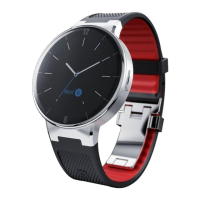
Alcatel MOVETIME - User Manual

Alcatel MOVETIME
17 pages
Print Icon
To Next Page IconTo Next Page
Loading...
CJB1F60ALAAA
MOVETIME
Track&Talk watch
Quick Start Guide
Question and Answer IconNeed help?

Do you have a question about the Alcatel MOVETIME and is the answer not in the manual?

Summary

Know Your Watch

Watch Components and Controls

Identifies and describes external buttons, speaker, and ports on the watch.

Additional Components and Screen

Details the SOS key, power key, microphone, SIM slot, and screen indicators.

Basic Operations

Power and SOS Functions

Covers powering on/off, rebooting, and emergency SOS activation.

Voice Messaging and Calls

Details on sending voice messages and handling calls.

Volume, Power Mode, and Updates

Explains volume control, airplane mode, and firmware updates.

Using the Smartphone Application

Pairing Methods

Describes connecting the watch using IMEI or QR code.

Application Features

Overview of the app's map, contacts, and settings interface.

Watch Functions

Safety and Location Features

Setting up electronic fences and accessing map navigation.

Communication and Data

Managing steps, power, voice messages, and calls.

Contact Management

Managing the emergency contact list and address book.

Safe Zone and Power Saving

Setting secure areas and optimizing battery life.

Mute Time and Upgrades

Configuring silent periods and updating watch firmware.

Troubleshooting and Safety Information

FAQ and Common Issues

Addresses common problems like positioning, verification codes, and data service.

SAR and Exposure Guidelines

Details on Specific Absorption Rate (SAR) limits and safe usage.

Certification and Compliance

Information on WEEE, RoHS, and radio wave compliance.

Licenses and Warranty

CE License and Declaration

Compliance with EU directives and essential requirements.

Product Warranty Terms

Details the warranty period, conditions, and exclusions.

Summary

Know Your Watch

Watch Components and Controls

Identifies and describes external buttons, speaker, and ports on the watch.

Additional Components and Screen

Details the SOS key, power key, microphone, SIM slot, and screen indicators.

Basic Operations

Power and SOS Functions

Covers powering on/off, rebooting, and emergency SOS activation.

Voice Messaging and Calls

Details on sending voice messages and handling calls.

Volume, Power Mode, and Updates

Explains volume control, airplane mode, and firmware updates.

Using the Smartphone Application

Pairing Methods

Describes connecting the watch using IMEI or QR code.

Application Features

Overview of the app's map, contacts, and settings interface.

Watch Functions

Safety and Location Features

Setting up electronic fences and accessing map navigation.

Communication and Data

Managing steps, power, voice messages, and calls.

Contact Management

Managing the emergency contact list and address book.

Safe Zone and Power Saving

Setting secure areas and optimizing battery life.

Mute Time and Upgrades

Configuring silent periods and updating watch firmware.

Troubleshooting and Safety Information

FAQ and Common Issues

Addresses common problems like positioning, verification codes, and data service.

SAR and Exposure Guidelines

Details on Specific Absorption Rate (SAR) limits and safe usage.

Certification and Compliance

Information on WEEE, RoHS, and radio wave compliance.

Licenses and Warranty

CE License and Declaration

Compliance with EU directives and essential requirements.

Product Warranty Terms

Details the warranty period, conditions, and exclusions.

Alcatel MOVETIME Specifications

General IconGeneral
BrandAlcatel
ModelMOVETIME
CategoryWatch
LanguageEnglish

Related product manuals