10
Safe zone
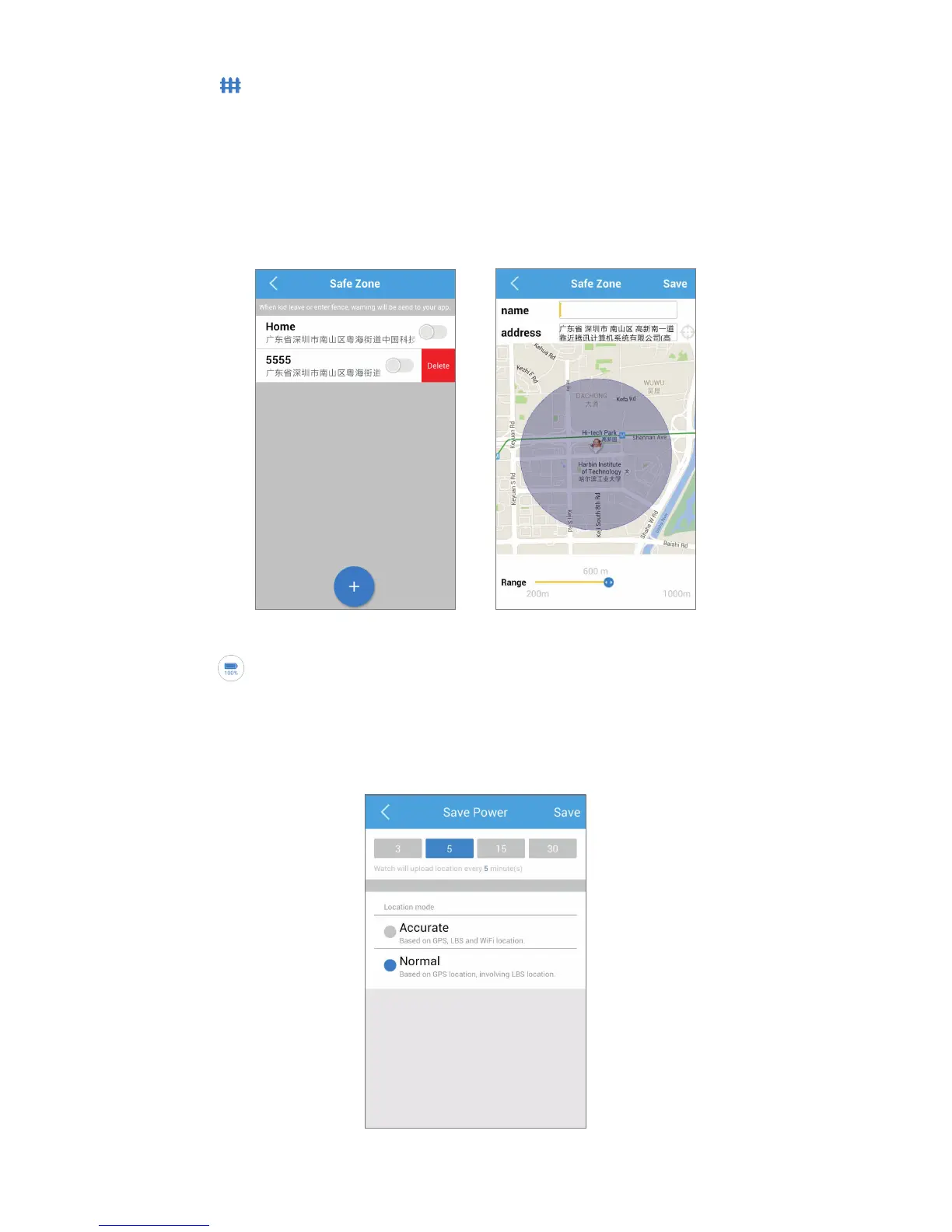
Touch to enter the Safe zone screen.
In this funcon, you can set an area on the map as a safe area for your
child. When your child leaves the security area, you will be noed.
Pay aenon that the meliness of the nocaon will depend on
the frequency of the locaon. The longer interval me for posioning
that you set, the me to receive the nocaon will be relavely
longer.
Save power
Touch to enter the power screen.
You can choose the locaon frequency according to the daily usage
habit. Dierent posioning mode will aect the posioning accuracy
and standby me. Choose the appropriate use mode according to
the actual scene.



 To Next Page