22 23
Key:
In idle screen:
Input 0 (short keypress)
Input '+'/'P'/'W' (long keypress)
In edit mode:
Input space (short keypress)
Key:
In idle screen:
Access pre-set number (Son's phone
number) (long keypress)
Input * (short keypress)
In edit mode:
Change input mode
Key:
In idle screen:
Access pre-set number (Daughter's
phone number) (long keypress)
Input # (short keypress)
In edit mode:
Change symbol
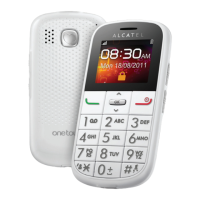
keys2.1
Key:
Navigation (up/down)
Confirm an option (OK key)
In idle screen:
Enter main menu (OK key)
Key: Send call
Confirm a selection
In idle screen:
Access call log (short keypress)
Key: Switch on/Switch off the telephone
(long keypress)
End call
Return to idle screen
In idle screen:
Access contacts (short keypress)
In edit mode:
Delete character
Key:
Dial a voicemail number (long
keypress)





 To Next Page