16
• An animation will show while charging.
• It may take several minutes before the charging
starts.
• Do not force the plug into the socket.
• It will take a few minutes before the battery icon
shows the charge level.
• Before
connecting to the charger, make sure the
battery is inserted correctly.
• The mains socket must be near to the phone
and easily accessible (avoid power extension
cables).
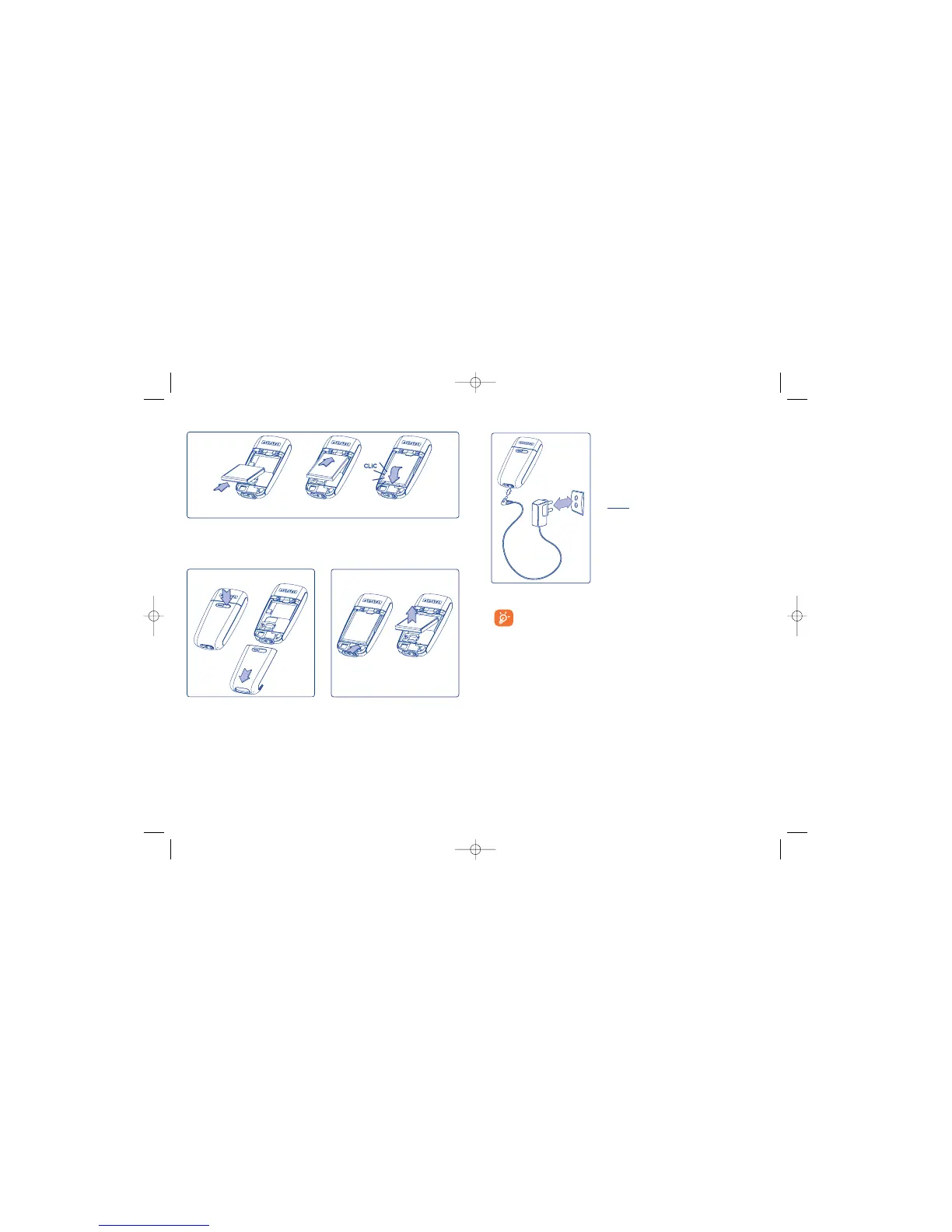
Charging the battery
Connect the charger
15
Inserting the battery
Align the tab on top of the battery with the slot in the battery compartment of
your phone. Press down the battery until the latch is completely locked.
Opening the back cover Removing the battery
Before using your phone for the first time, completely charge
your battery (approximately 3 hours). Only use Alcatel chargers.
We recommend charging the battery once a day so that the
phone operates at an optimum level.
OH2_UM_GB_10-11-04 10/11/04 18:17 Page 15









 To Next Page