15 16
Your mobile
2
..........................
1
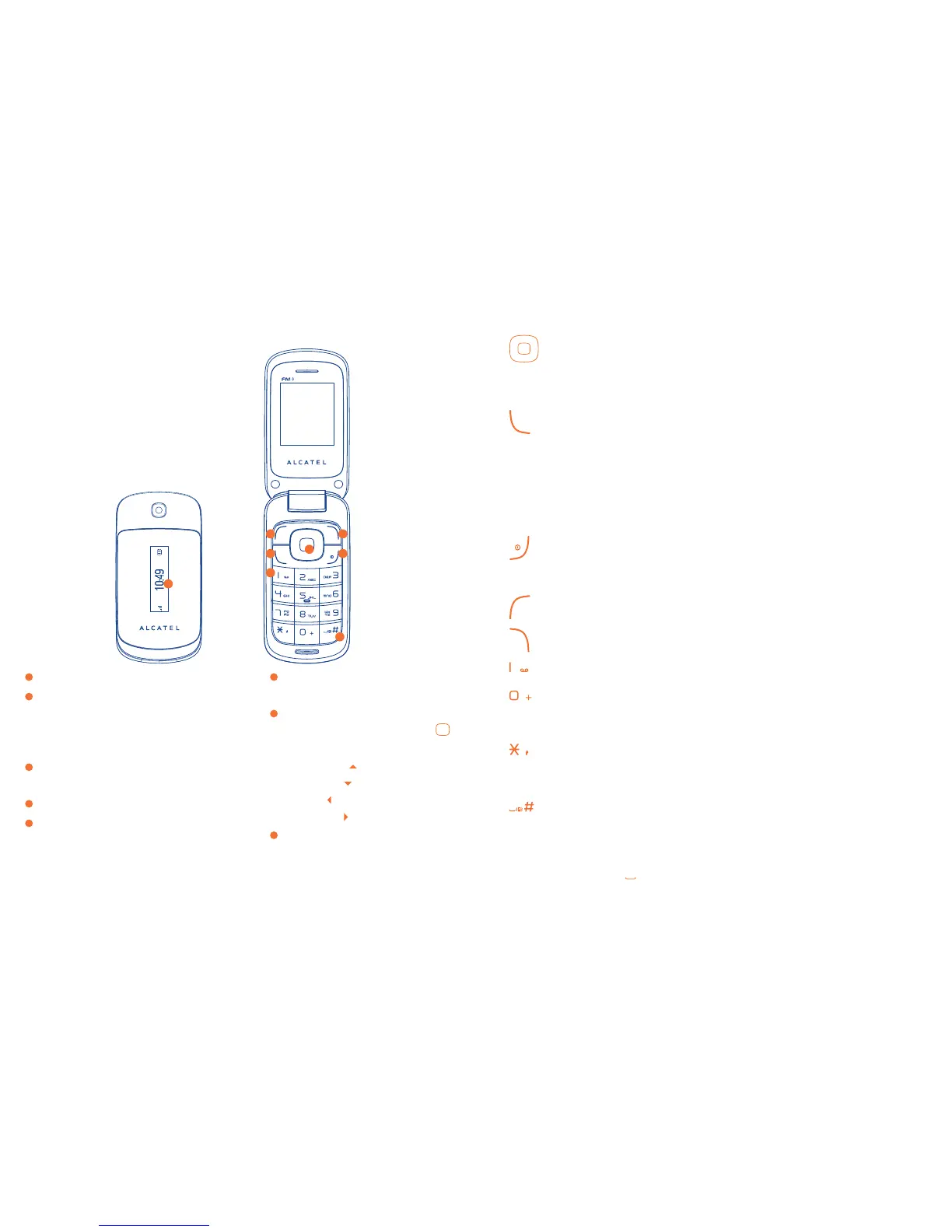
Left softkey
2
Pick up/Send call
Call log
Activate fake call
(1)
(press and hold)
3
Voicemail
(press and hold)
4
Right softkey
5
Switch on/Switch off
End call
6
Vibration alert
(press and hold)
7
Navigation key
(2)
:
Menu/Confirm an option
if widget bar is hide:
Messaging
Contacts
Alarm
Calendar
8
Sub display: Show time,
miss call/voicemail, new
messaging, charging etc.
Keys2.1
Navigation key
Confirm an option (press the middle of the key)
Activate music player (press and hold the middle of key)
Scroll widget bar (press the right or left of the key)
Pick up
Send a call
In idle screen:
Access call log (Redial) (press)
Activate fake call (press and hold)
During MP3 Playing:
Switch between Headset and speaker (press and hold)
Switch on/Switch off the telephone (press and hold)
End call
Return to idle screen
Left softkey
Right softkey
Access your voicemail (press and hold)
In Edit mode:
- Press: access the language list
- Press and hold: enter zero
In Edit mode:
- Press: change input methods
- Press and hold: access the Symbols table
In idle screen:
- Press: #
- Press and hold: activate/deactivate the vibrate mode
In Edit mode:
- Press:
(space)
1
2
6
3
5
7
4
8
(1)
Fake call setting first.
(2)
There may be a little difference according to different versions.







 To Next Page