
 Need help?
Do you have a question about the Alcatel Onetouch Pop D3 and is the answer not in the manual?
This document is a Quick Start Guide for the ALCATEL ONETOUCH Pop D3 4037A mobile phone, providing essential information on its functions, usage, and maintenance.
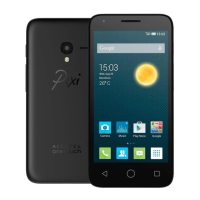
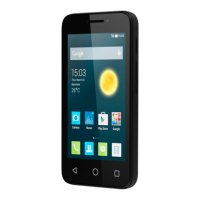
The device features a touchscreen interface, along with several physical keys and connectors. On the front, you'll find a Power key, a Headset connector, an LED light (which illuminates when charging), a Front Camera, and a Proximity sensor. The touchscreen itself displays the time, date, and allows for interaction with applications and widgets. A Menu key is present for accessing options and recently used applications, while Back and Home keys facilitate navigation. Volume up and down keys are located on the side, along with a Camera and Flash/Torch. A micro-USB connector is at the bottom for charging and data transfer.
The ALCATEL ONETOUCH Pop D3 4037A is a mobile phone designed for communication, internet access, and various applications. It supports 2G and 3G networks with dual SIM card slots. The phone allows users to make and receive calls, send and receive SMS and MMS messages, and manage contacts. It integrates with Google services, enabling synchronization of contacts, email (Gmail and other POP3/IMAP4 accounts), and access to the Google Play Store for downloading additional applications. The device also includes features like Mobile TV, GPS for location services, and a browser for web surfing.
The phone may become warm during prolonged calls, gaming, internet surfing, or running complex applications; this is normal due to CPU data handling. Ending these actions will return the phone to normal temperatures.
 General
| Display | 4.0 inches |
|---|---|
| Resolution | 480 x 800 pixels |
| RAM | 512 MB |
| Internal Storage | 4 GB |
| Expandable Storage | microSD, up to 32 GB |
| Processor | Dual-core 1.3 GHz Cortex-A7 |











 To Next Page