EasyManua.ls Logo

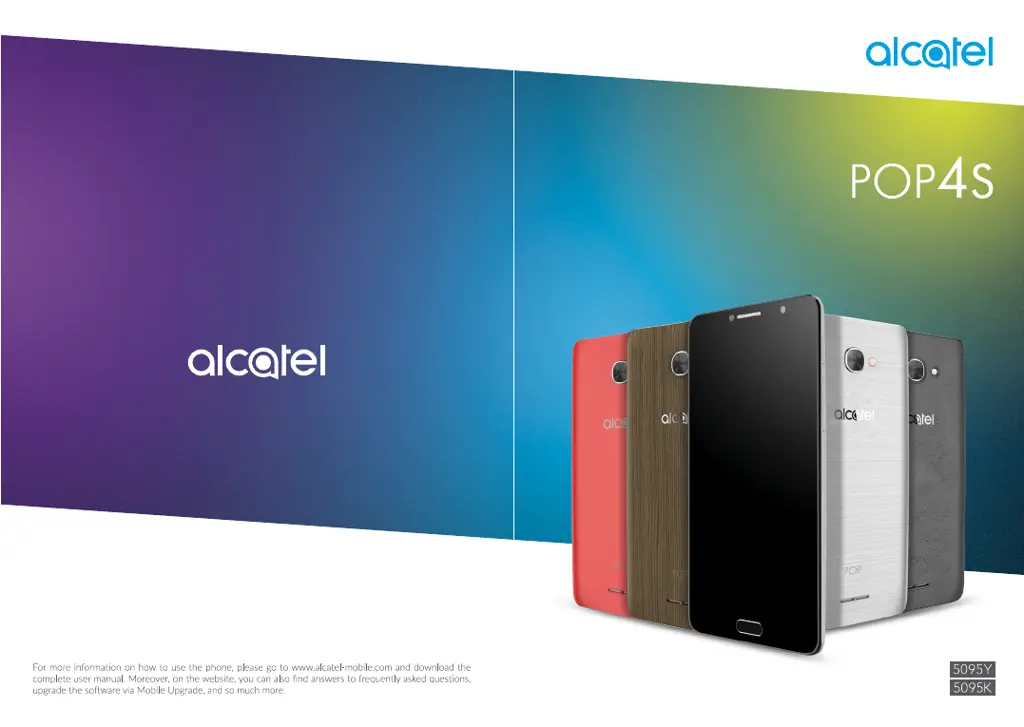
Alcatel POP4S - User Manual

Alcatel POP4S
54 pages
Print Icon
To Next Page IconTo Next Page
Loading...

Questions and Answers

  • G
    Grant WilliamsonAug 15, 2025
    What to do if my Alcatel POP4S can't connect to a network?
    • C
      Crystal JosephAug 15, 2025
      If your Alcatel Cell Phone displays 'No service' or can't connect to a network, try connecting in another location. Also, verify network coverage with your operator and check that your SIM card is valid. If the network is overloaded, try connecting at a later time.
  • B
    Brenda MillerAug 18, 2025
    Why my Alcatel POP4S can't charge properly?
    • A
      Ann SmithAug 18, 2025
      If your Alcatel Cell Phone isn't charging correctly, ensure you're using an ALCATEL charger from the original box. If the battery has been empty for a long time, it may take about 20 minutes for the charging indicator to appear. Confirm that charging is carried out under normal conditions (0°C to +40°C). If you are abroad, make sure the voltage input is compatible.
  • C
    Carlos SmithAug 21, 2025
    How to fix Alcatel POP4S Cell Phone when unable to make outgoing calls?
    • B
      brownrobinAug 22, 2025
      If you're unable to make outgoing calls on your Alcatel Cell Phone, verify you've dialed a valid number and touched Call. For international calls, check the country and area codes. Ensure your phone is connected to a network that isn't overloaded or unavailable. Check your subscription status with your operator (credit, SIM card validity, etc.). Also, make sure you haven't barred outgoing calls and that your phone is not in Aeroplane mode.
  • J
    Joshua LarsonAug 25, 2025
    What to do if my Alcatel POP4S Cell Phone turns off by itself?
    • F
      Felicia PowersAug 26, 2025
      If your Alcatel Cell Phone turns off by itself, make sure your screen is locked when not in use and that you aren't accidentally pressing the Power key while the screen is unlocked. Also, check the battery charge level. If the issue persists, consider using Factory data reset to reset the phone or FOTA/Mobile Upgrade to upgrade the software.
  • H
    hansenrichardAug 28, 2025
    Why can't I receive incoming calls on my Alcatel POP4S Cell Phone?
    • C
      Christopher TurnerAug 28, 2025
      If you're unable to receive incoming calls on your Alcatel Cell Phone, ensure your phone is on and connected to a network, checking for any overloaded or unavailable network. Check your subscription status with your operator (credit, valid SIM card, etc.). Verify that you haven't forwarded incoming calls or barred certain calls. Also, ensure your phone is not in Aeroplane mode.
  • C
    Charles PerryAug 31, 2025
    What to do if my Alcatel POP4S Cell Phone has not responded for several minutes?
    • J
      Jason ArroyoSep 1, 2025
      If your Alcatel Cell Phone has not responded for several minutes, restart your phone by pressing and holding the Power key. If it still does not work, use Factory data reset to reset the phone or Mobile Upgrade to upgrade software.
  • B
    boothkariSep 4, 2025
    How to fix invalid SIM card error on Alcatel POP4S Cell Phone?
    • J
      Jay CraneSep 4, 2025
      If your Alcatel Cell Phone displays an invalid SIM card error, first ensure the SIM card has been correctly inserted. Next, check that the chip on your SIM card is not damaged or scratched. Finally, make sure the service for your SIM card is active and available.
  • J
    Joshua RossSep 7, 2025
    How to improve the sound quality on Alcatel POP4S during calls?
    • S
      Scott KlineSep 7, 2025
      If the sound quality of calls on your Alcatel Cell Phone is poor, you can adjust the volume during a call using the Volume Up/Down key. Additionally, check the network signal strength.
  • L
    leewilliamSep 12, 2025
    What to do if unable to add a contact in Alcatel Cell Phone?
    • K
      Katherine MooreSep 12, 2025
      If you are unable to add a contact to your Alcatel Cell Phone, make sure that your SIM card contacts are not full. Delete some files or save the files in the phone contacts, such as your professional or personal directories.

Alcatel POP4S Specifications

General IconGeneral
BrandAlcatel
ModelPOP4S
CategoryCell Phone
LanguageEnglish

Related product manuals