EasyManua.ls Logo

Alcatel XL595B - User Manual

Alcatel XL595B
2 pages
Print Icon
To Next Page IconTo Next Page
Loading...
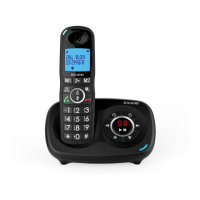
XL595B / XL595B Duo
The Call Blocking's operation is described on a separate sheet attached.
Die Benutzung der Anrufsperre wird auf einem beiliegenden, separaten
Blatt beschrieben.
De werking van de oproepblokkering is op een apart bijgevoegd
blad beschreven.
10
key*
* To block calls, it is necessary to subscribe to the Calling Number
Presentation service. Contact your landline operator.
In standby mode: Direct access to the Call blocking menu
In edit / pre-dialing mode: press to delete a character / a number.
Audio boost key
10
During charging: On steadily
In ringing mode / Paging mode: Flashing quickly
When new voice mail: Flash slowly
Steadily on: while the handset is in use
Flashing: when receiving an incoming call
2
Indicates that the Call Blocking function is activated.
(See the attached Call Blocking addendum)
Indicates quality of reception's signal between handset and base
3 bars: maximum quality
0 bar: handset is out of reception area of base
Indicate audio boost is active.
HS SETTINGS LANGUAGE
press and hold .
press and hold , then press to select
handset number.
Hereby, ATLINKS EUROPE declares that the radio equipment type DECT is in
compliance with Directive 2014/53/EU. The full text of the EU declaration of
conformity is available at the following internet address: www.alcatel-home.com
- Average power per channel: 10mW
10
Während des Ladevorgangs: Dauerlicht
Im Klingelmodus / Paging-Modus: Blinkt schnell
Bei neuer Voicemail: Blinken Sie langsam
Taste* * Um Anrufe zu blockieren, muss der CLIP-Service (Anzeige
der Rufnummer des Anrufers) abonniert werden. Setzen Sie sich mit
Ihrem Festnetzanbieter in Verbindung.
Im Stand-by-Modus: direkter Zugang zum Anrufsperre-Menü
Im Änderungs- / Vorwahlmodus: Drücken Sie, um ein Zeichen /
eine Nummer zu löschen.
Tonverstärkung
Dauerlicht: Während das Mobilteil in Betrieb ist
Blinkend: beim Empfang eines eingehenden Anrufs
Bei neuer Voicemail: Blinken Sie langsam
2
Signalisiert, dass die Anrufsperre aktiviert ist
(siehe beigefügten Anhang zur Anrufsperre)
Zeigen Sie an, dass der Audio-Boost aktiv ist.
INTERCOM
MT-EINSTEL.
BELLIJST
HS SETTINGS
LANGUAGE
MITTEL
drücken und
halten .
Mobilteilnummer auswählen.
drücken und halten , dann drücken
Zeigt die Qualität des Empfangssignals zwischen Mobilteil und Basis an
3 Takte: maximale Qualität
0 bar: Mobilteil befindet sich außerhalb des Empfangsbereichs der
Basisstation
Question and Answer IconNeed help?

Do you have a question about the Alcatel XL595B and is the answer not in the manual?

Summary

Initial Setup and Connection

Start Up Guide

Provides initial steps for setting up the Alcatel phone and getting started.

Connecting Your Phone

Instructions for connecting the base station to power and telephone line.

Inserting Handset Batteries

Guide on how to properly insert rechargeable batteries into the handset.

Device Overview

Handset Key Functions

Explanation of each button and its specific function on the handset.

Display Icons Explained

Details the meaning of various symbols displayed on the handset screen.

Base Station Key Functions

Identification and purpose of all buttons located on the base station.

Phone Operation and Features

Receiving and Ending Calls

Step-by-step guide for answering incoming calls and disconnecting.

Making Calls

Instructions on how to initiate calls using various methods.

Call Log and Redial

Accessing and utilizing the call history and last dialed numbers.

Phonebook and Direct Memories

Storing, managing, and retrieving contacts via phonebook and speed dial.

Advanced Call Features

Utilizing handsfree, conference calls, and intercom functions.

Configuration and Settings

Setting Language and Flash Time

Adjusting language and flash time settings for network compatibility.

Phonebook Management

Procedures for registering new contacts in the phonebook.

Setting Direct Memories

Assigning phone numbers to speed dial keys (M1, M2, 1-3).

Summary

Initial Setup and Connection

Start Up Guide

Provides initial steps for setting up the Alcatel phone and getting started.

Connecting Your Phone

Instructions for connecting the base station to power and telephone line.

Inserting Handset Batteries

Guide on how to properly insert rechargeable batteries into the handset.

Device Overview

Handset Key Functions

Explanation of each button and its specific function on the handset.

Display Icons Explained

Details the meaning of various symbols displayed on the handset screen.

Base Station Key Functions

Identification and purpose of all buttons located on the base station.

Phone Operation and Features

Receiving and Ending Calls

Step-by-step guide for answering incoming calls and disconnecting.

Making Calls

Instructions on how to initiate calls using various methods.

Call Log and Redial

Accessing and utilizing the call history and last dialed numbers.

Phonebook and Direct Memories

Storing, managing, and retrieving contacts via phonebook and speed dial.

Advanced Call Features

Utilizing handsfree, conference calls, and intercom functions.

Configuration and Settings

Setting Language and Flash Time

Adjusting language and flash time settings for network compatibility.

Phonebook Management

Procedures for registering new contacts in the phonebook.

Setting Direct Memories

Assigning phone numbers to speed dial keys (M1, M2, 1-3).

Alcatel XL595B Specifications

General IconGeneral
Answering SystemYes
SpeakerphoneYes
Caller IDYes
DisplayYes
ColorsBlack
NetworkDECT
Phonebook Capacity100 entries

Related product manuals