44
5 SETTINGS
5.1 MICROPHONE SENSITIVITY:
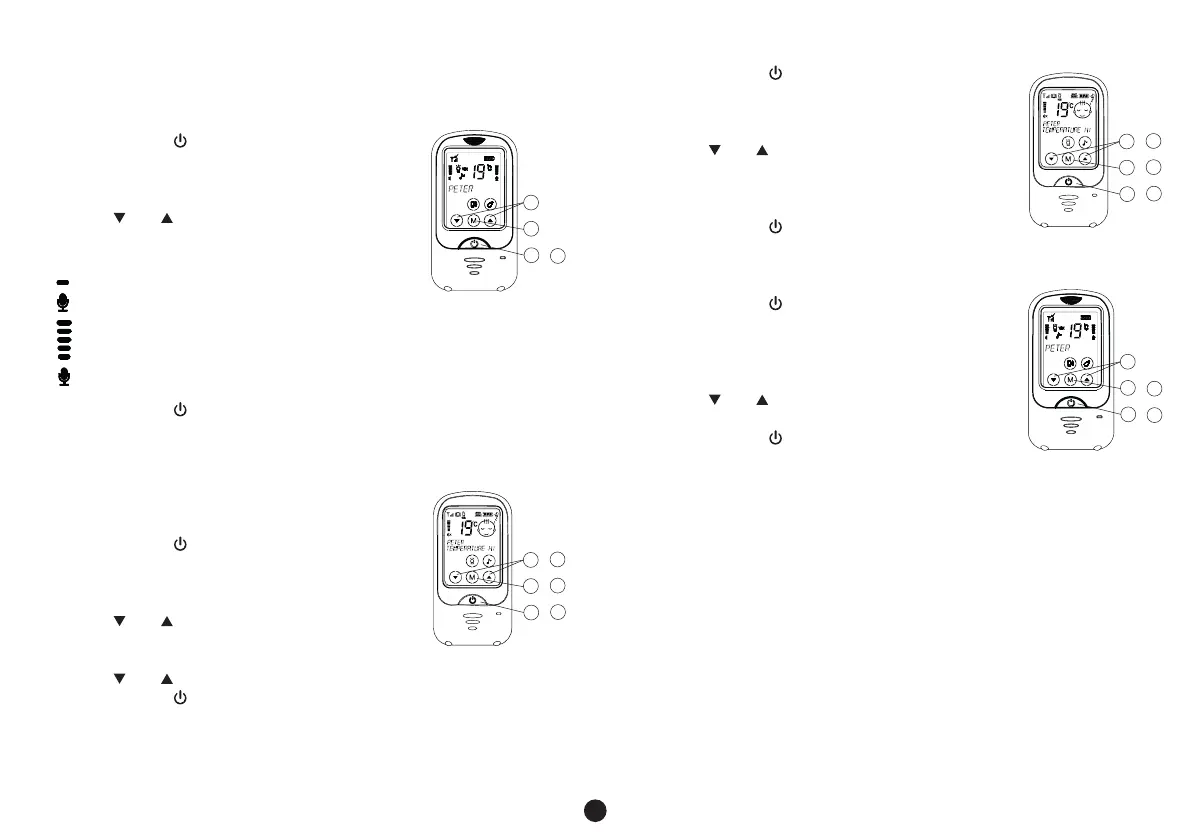
You can use the parent unit to set at which volume level the baby unit must
start transmitting.
1. briefly press the button to activate the touch-
screen
2. press and hold the M button for 3 seconds to open
the menu, the display now shows: “MIC SENS”
3. use the and buttons to select the desired
sensitivity as shown on the right in the display by a
bar graph
low sensitivity; the baby must cry loudly before
the baby unit is activated
hight sensitivity; the baby unit is activated as soon as the baby
starts making soft sounds
4. briefly press the button to confirm your choice and exit the menu
5.2 DISPLAY LANGUAGES:
The various settings and notifications in the display of the parent unit can be
shown in different languages.
In the factory the unit is set to the Dutch language, but
you can select another language as follows:
1. briefly press the button to activate
the touch-screen
2. press and hold the M button for 3 seconds to
open the menu
3. use the and buttons to select the option
LANGUAGE
4. briefly press the M button
5. use the and buttons to select your desired language
6. briefly press the button to confirm you selection and to leave the
menu
• you can choose from: Dutch, English, Italian, Spanish, French and
German
5.3 DISPLAY LIGHT BRIGHTNESS:
You can adjust the intensity of the display light as follows:
1. briefly press the button to activate the
touch-screen
2. press and hold the M button for 3 seconds to
open the menu
3. use the and buttons to select the option
BRIGHTNESS
4. briefly press the M button
5. use the and buttons to select the desired brightness
6. briefly press the button to confirm you selection
and to leave the menu
To set the display lighting at the baby unit:
1. briefly press the button to activate the
touch-screen
2. press and hold the M button for 3 seconds to
open the menu
3. press the M button again
4. use the and button to select the desired
brightness
5. briefly press the button to confirm you selection
and to leave the menu
• you may choose from 8 brightness levels
• a higher brightness level does often provide a clear readability, but also
uses more power.
1
2
3
6
4
5
/
/
/
1
2
3
6
4
5
/
/
/
1
2
3
4
/
1
2
4
5
/
3
/



 To Next Page