38
TABLE OF CONTENTS
1 INTRODUCTION ..................................................................................... 38
2 UNCTION OVERVIEW
2.1 BABY UNIT .............................................................................................. 38
2.2 PARENT UNIT ......................................................................................... 39
2.3 CHARGER ............................................................................................... 39
2.4 DISPLAY IN STANDBY MODE ................................................................ 39
3 INSTALLATION
3.1 BABY UNIT .............................................................................................. 40
3.2 PARENT UNIT ......................................................................................... 40
4 OPERATION
4.1 TO SWITCH ON/OFF .............................................................................. 41
4.2 CONNECTION INDICATOR .................................................................... 41
4.3 FIRST TIME USE .................................................................................... 41
4.4 WATCHING AND LISTENING ................................................................. 41
4.5 ADDITIONAL FUNCTIONS ..................................................................... 42
4.6 SYSTEEM SETUP .................................................................................. 44
4.7 HELP FUNCTIONS ................................................................................. 45
5 SYSTEM EXPANSION
5.1 GENERAL ............................................................................................... 46
5.2 TO REGISTER, DEREGISTER AND ASSIGN NAMES .......................... 46
5.3 MULTI-CAMERA, OPERATION .............................................................. 46
6 TIPS AND WARNINGS
6.1 GENERAL ............................................................................................... 47
6.2 INSTALLATION ....................................................................................... 47
6.3 RECEPTION INDICATOR/OUT-OF-RANGE NOTIFICATION ................ 47
6.4 DELAY IN IMAGES AND SOUND ........................................................... 47
6.5 POWER SUPPLY .................................................................................... 47
6.6 INTERFERENCE-FREE .......................................................................... 47
6.7 RANGE .................................................................................................... 47
6.8 EAVESDROPPING/WIRETAPPING ........................................................ 48
6.9 MAINTENANCE ...................................................................................... 48
6.10 ENVIRONMENT AND DISCARDING ...................................................... 48
6.11 IN CASE OF NO IMAGE, NO SOUND .................................................... 48
7 DECLARATION OF CONFORMITY........................................................ 48
8 SPECIFICATIONS ................................................................................... 48
9 WARRANTY ............................................................................................ 49
1 INTRODUCTION
The Alecto DVM-750 is a wireless audio/video observation system, suitable for
private use indoors. Only use the baby monitor as an extra aid and never as a
replacement for an adult or human babysitter.
ATTENTION Before you start using the set, please remove any protective
foil from the parent unit and baby unit.
2 FUNCTION OVERVIEW
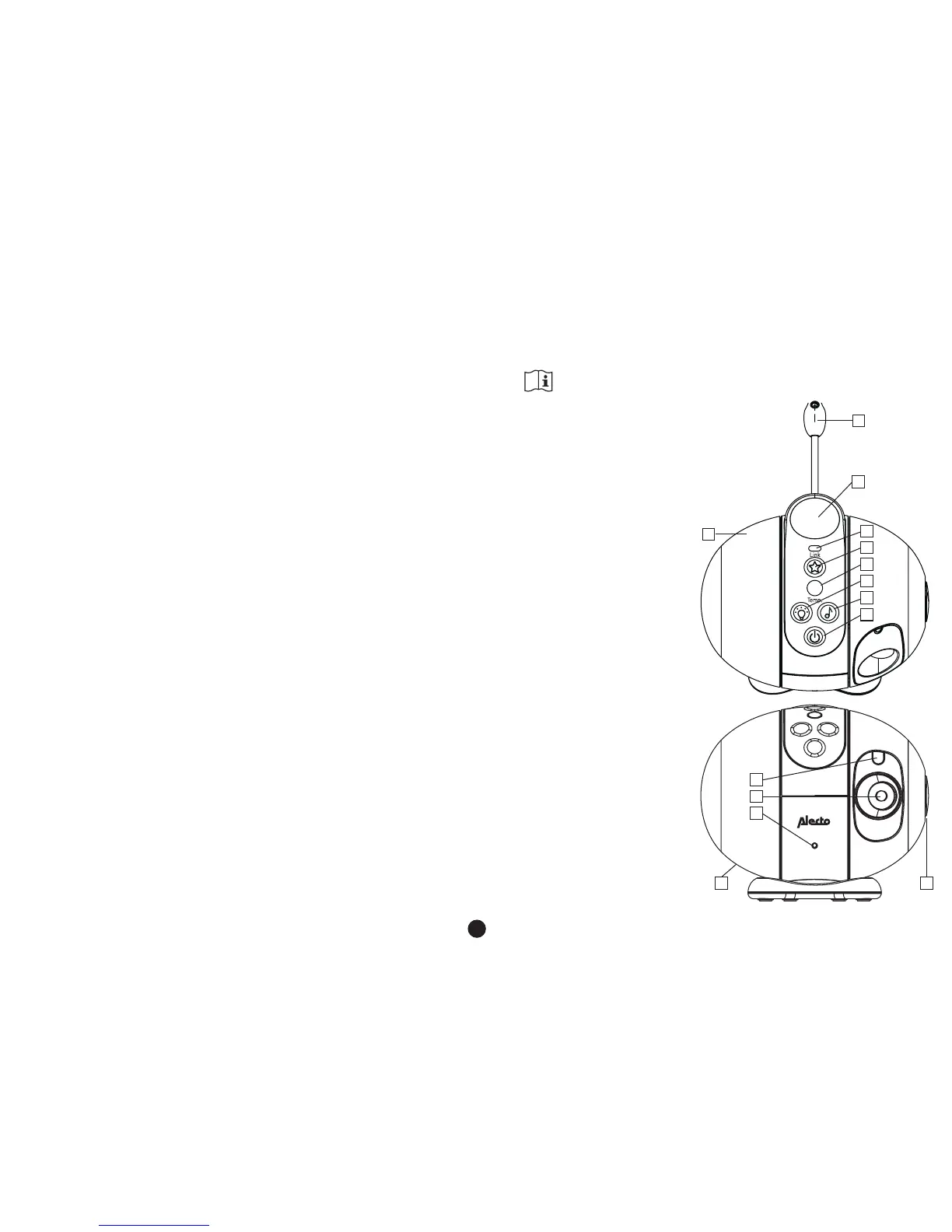
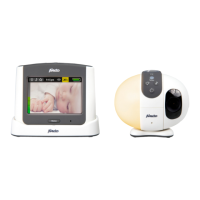
2.1 BABY UNIT:
1. temperature sensor
2. projector lens
3. night light
4. link check:
- continuous green: connection
OK
- ashing green 1x per sec:
baby unit is searching for the
parent unit
- ashing green 2x per sec:
baby unit is receiving sound
from the parent unit (TALK
BACK)
- ashing red: no connection
with the parent unit
5. power button for the projector
6. temperature indicator: (*)
blue (<15°C, too cold)
yellow (16-20°C,
recommended)
orange (21-24°C, too warm)
red (>25°C, too hot)
7. night light power button
8. lullabies power button
9. baby unit power button
10. photo cell for the night light
11. camera
12. built-in microphone
13. power adaptor input (rear)
14. built-in speaker
*: according to the
‘National Health Service’ (NHS)
1
5
4
3
2
9
6
8
7
12
11
10
13 14


 To Next Page