81
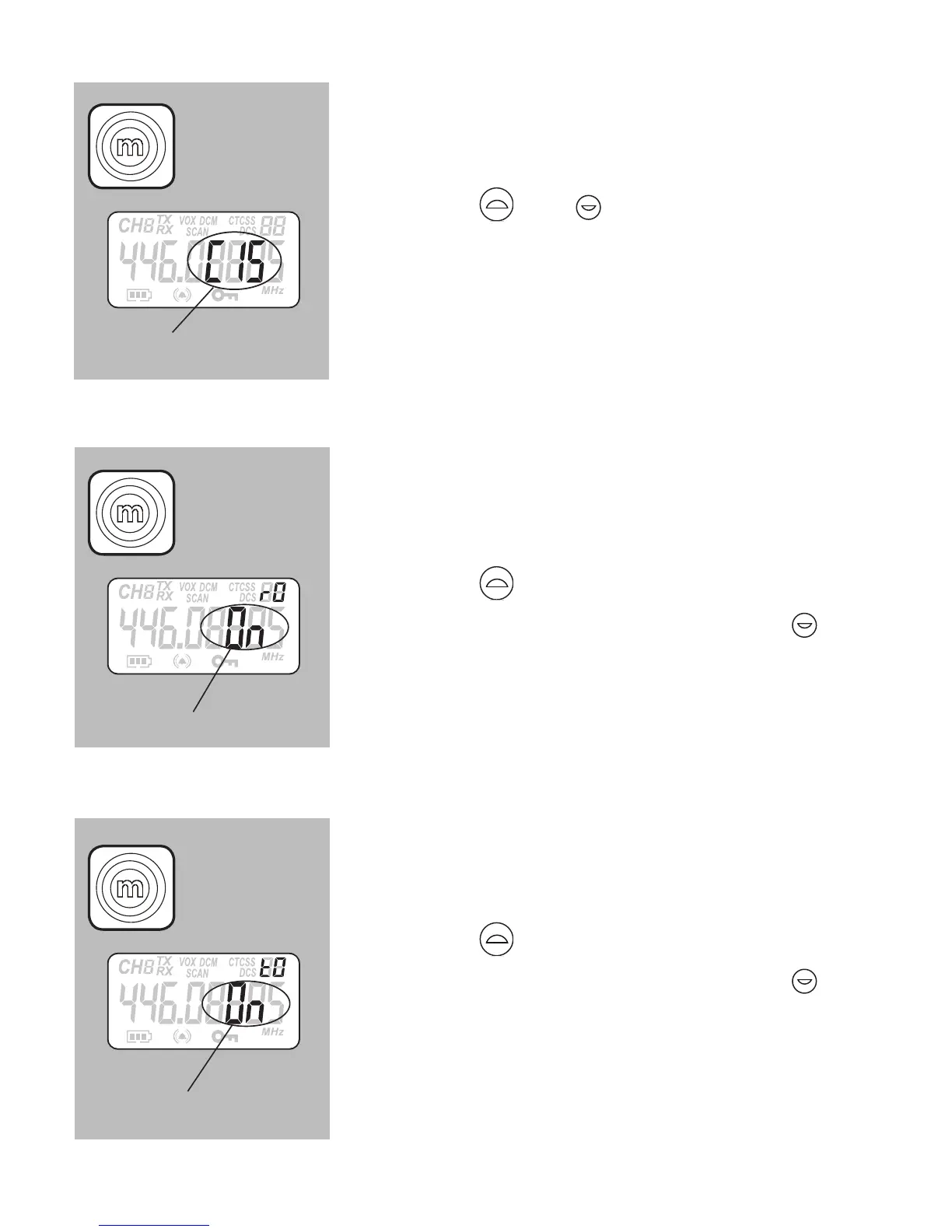
CALL TONE SETUP:
press the M button 8x, the call tone mode
starts flashing
press the
and buttons to select the
desired call tone (01 – 15) (the speaker will
emit the selected tone)
press the PTT button to save your setting
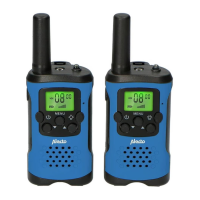
ROGER BEEP ON/OFF:
press the M button 10x, the roger beep
indication starts flashing
press the
button to activate this function
(ON appears in the display) or press
to
deactivate this function (OFF in the display)
press the PTT button to save your setting
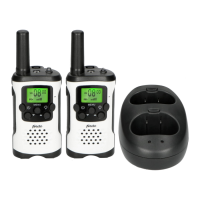
KEY TONE ON/OFF:
press the M button 11x, the key tone
indication starts flashing
press the button to activate this function
(ON appears in the display) or press
to
deactivate this function (OFF in the display)
press the PTT button to save your setting
‘01’ ~ ‘15’
‘On’ or ‘OF’
‘On’ or ‘OF’
8x
10x
11x



 To Next Page