Chapter 3 – Overview of Effects
28
MidiVerb 4 Reference Manual
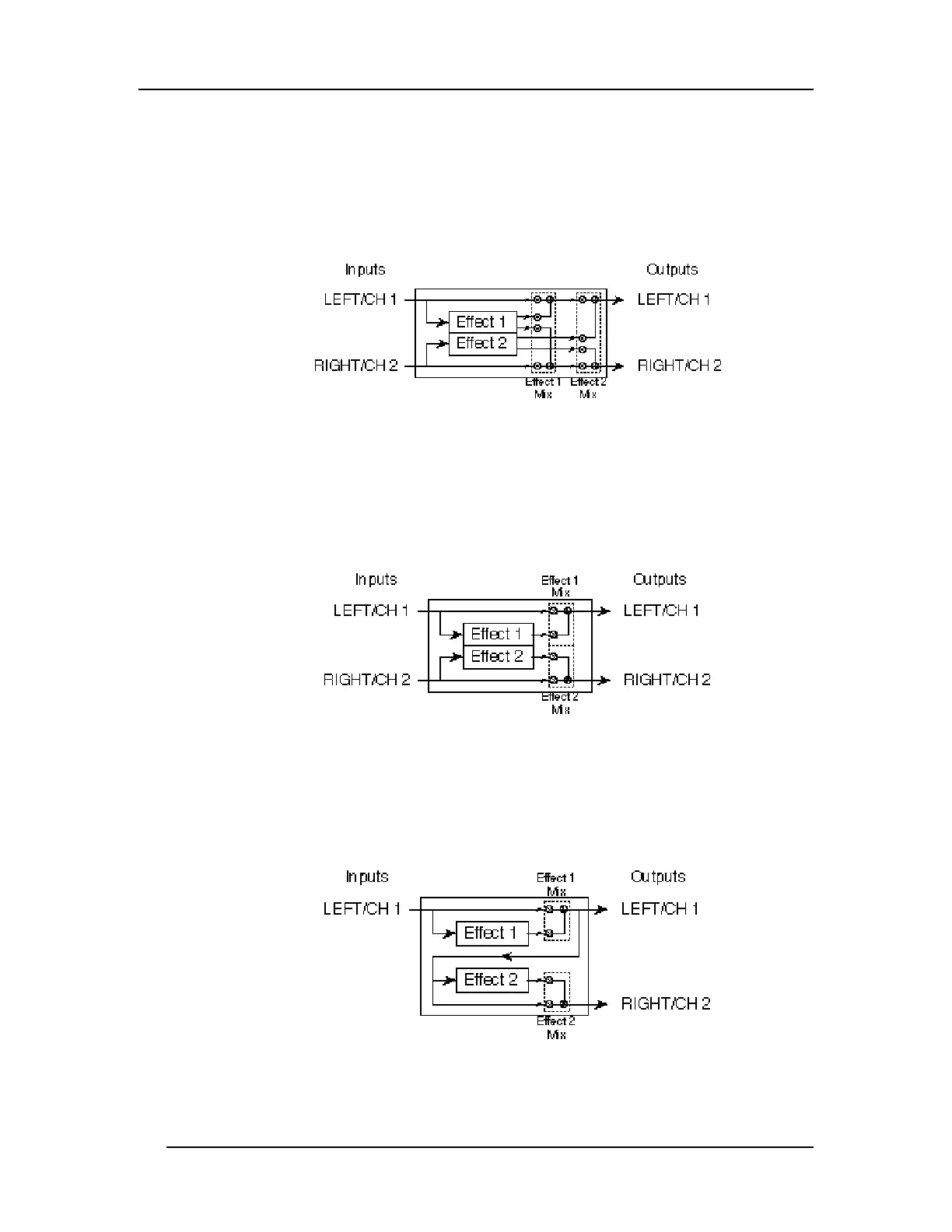
Double
Double Configurations consist of two “side-by-side” mono-in/stereo-out effects.
These Configurations are identified by the presence of a “+” in their name. In each
case, the Left/Ch. 1 input is routed to one effect, while the Right/Ch. 2 input is
routed to the other. The stereo outputs of both effects are then summed together to
the outputs. The dry, uneffected signal of both inputs are also routed to the outputs.
Dual Mono
Dual Mono Configurations provide two mono-in/mono-out effects, one for each
channel. These Configurations are identified by the presence of a “:” in their name
(Delay:Delay). The Left/Ch. 1 input is routed to the first effect, whose output is
routed to the Left/Ch. 1 output. Likewise, the Right/Ch. 2 input is routed to the
second effect, whose output is routed to the Right/Ch. 2 output.
These effects can be chained using a special feature called Cascade mode. Cascade
mode only affects Dual Mono Configurations, and routes the output of the channel 1
effect into the input of the channel 2 effect. The Cascade function can be turned on
and off from page 2 in Utility mode (see Chapter 5). In this case, the Left/Ch. 1
output provides only the channel 1 effect’s output, while the Right/Ch. 2 output
provides the output of channel 1’s effect routed through channel 2’s effect.
Note: If Cascade mode is turned on, the [RIGHT/CH. 2] input will be disabled for all
Dual Mono Configurations. This is because the channel 2 effect is being fed the
output of the channel 1 effect.













 To Next Page