Chapter 6 – Advanced Applications
60 MidiVerb 4 Reference Manual
Realtime Modulation Functions
You can use various MIDI messages (such as note number, velocity, aftertouch, or
pitch-bend, etc.) to simultaneously control up to two parameters in the MidiVerb 4,
such as delay time, room size, etc. Modulation functions are “hard-wired” in each
Configuration, and therefore cannot be changed. However, you can select which two
types of MIDI messages will act as the modulation sources, and you can adjust how
much they will affect the MidiVerb 4’s parameters by either a positive or negative
amount.
The two parameters in each Configuration which can be modulated via MIDI have
been chosen very carefully to provide the most-desired modulation combinations.
The two modulation sources are designated as Modulator X and Modulator Y. In the
Utility mode, you can select the type of MIDI message which will be designated as
each Modulator. The parameters that Modulators X and Y control are determined by
the selected Program’s Configuration. Example: If using any of the Stereo Reverb
Configurations, Modulator X controls the Reverb’s decay time, while Modulator Y
controls the Reverb’s wet/dry mix.
Keep in mind that both Modulator X and Y can be assigned to the same MIDI
message. Therefore, a single MIDI source can modulate two different parameters
simultaneously.
Defining the Modulation Sources
To select which type of MIDI messages will be used as Modulators X and Y:
➀ Press [UTIL].
The [UTIL] button will light .
➁ Press the [EDIT/PAGE] button until page 4 is selected.
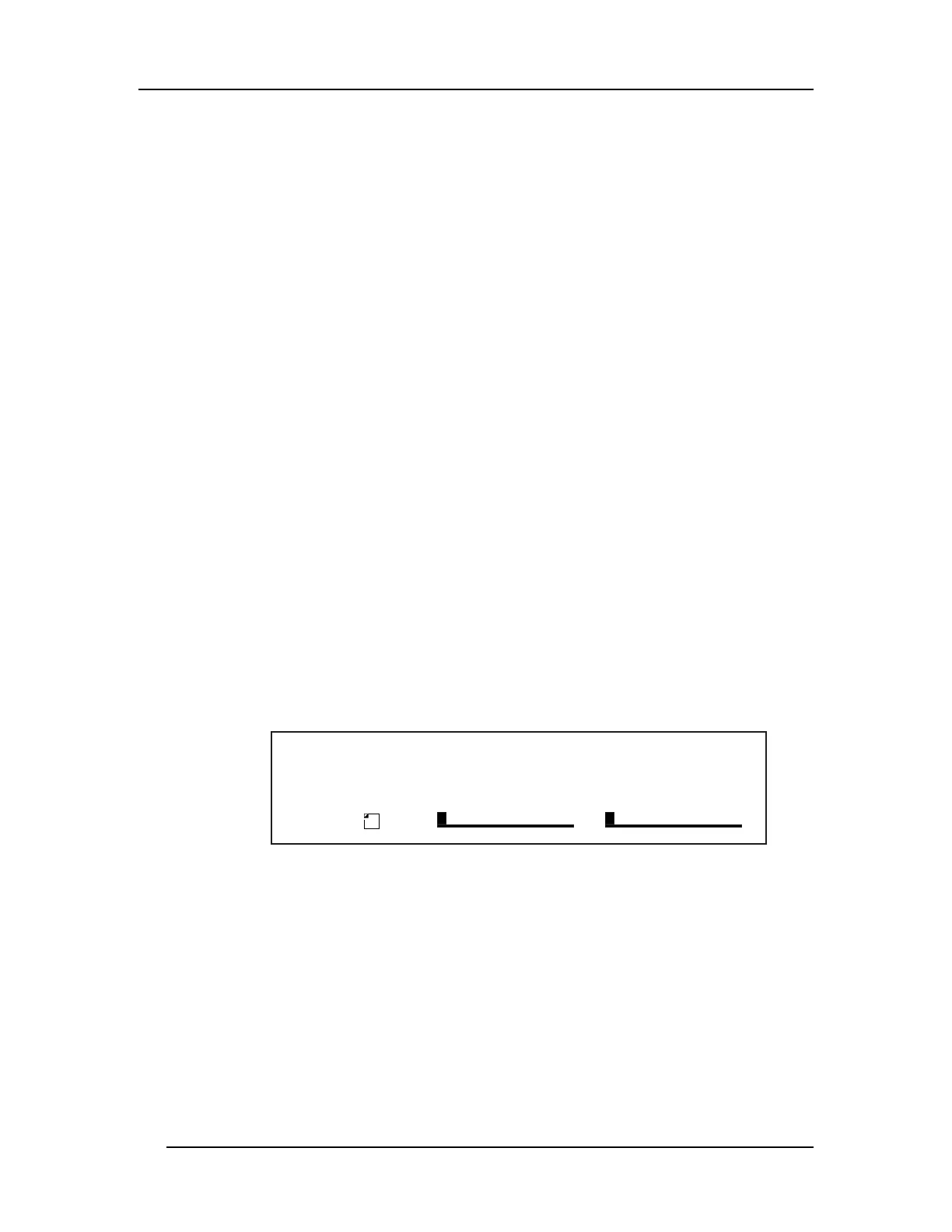
The display will look like this:
L R
PRESET
Mo d # X Amp X Mo d # Y Amp Y
PAGE 1 2 3 4 5 6
b n d ¡ - 6 4 ‡ 0 3 2 £ 1 2 7 ›
A B C D
➂ Press the [A] button to select the Modulator X field, and turn the [VALUE] knob
to select the type of MIDI message that will be used by Modulator X.
You can choose from: pitch-bend (bnd), aftertouch (AFt), note number (not), velocity
(UEL), or a controller number from 000–119.
➃ Press the [B] button to select the Amplitude X field, and turn the [VALUE] knob
to set the amount of control Modulator X will have over the parameters it
controls.
This can be set anywhere from -99 to +99.
➄ Repeat steps ➂ and ➃, substituting buttons [A] and [B] with buttons [C] and [D]
to select the type of MIDI message for Modulator Y and adjust its amplitude.
Modulation Parameters Index













 To Next Page