Editing Effects: Chapter 7
CONFIGURATION #5: OVERDRIVE AND LEZLIE
Pitch 1 Delay 1 Reverb 1
Mono chorus Mono delay Plate 1
Mono flange Stereo delay Plate 2
Resonator Ping-Pong delay Room
Hall
Large
Gate
Reverse
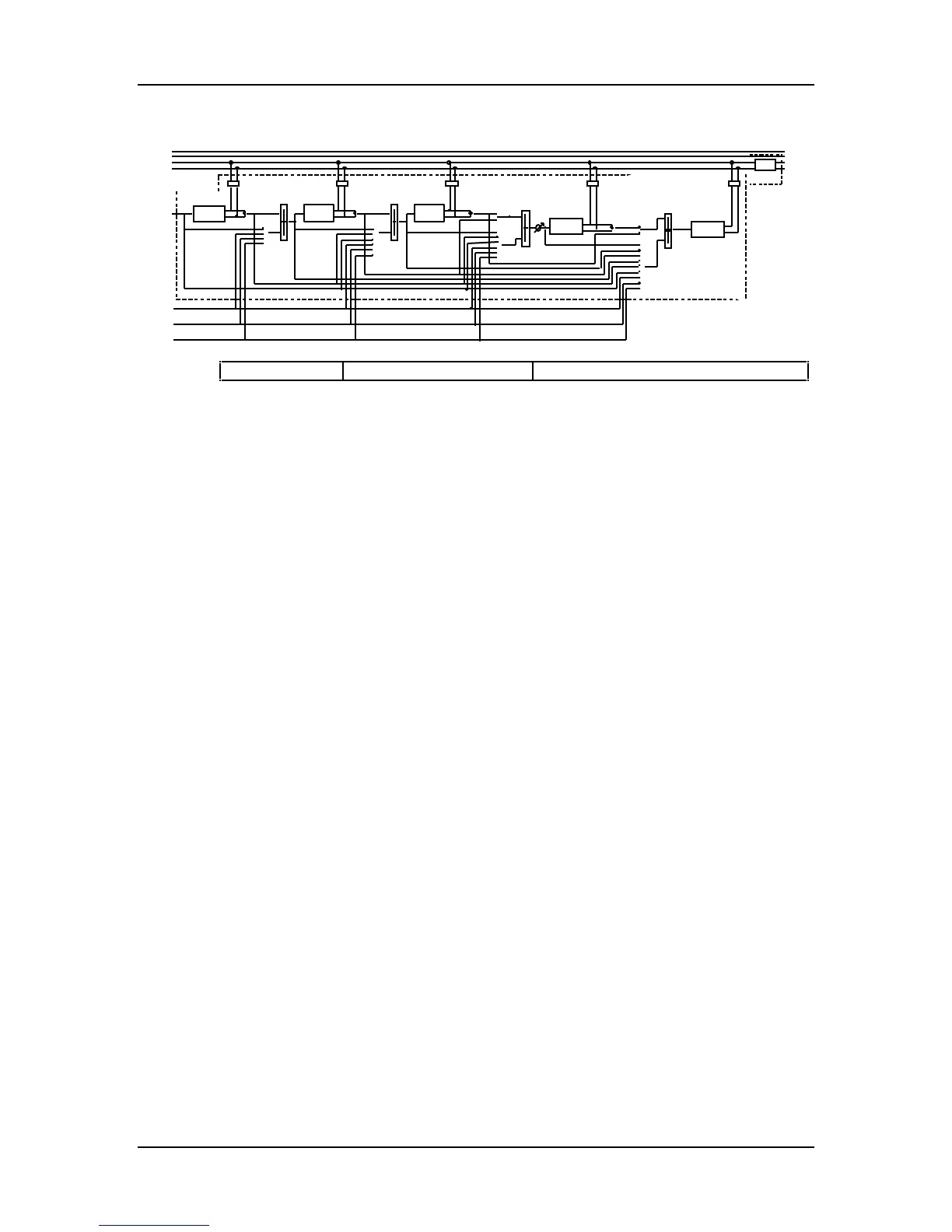
This is an “all-for-one” Configuration. You get six effects all at once, and they are all
found in the Send 1 section. Send 1 feeds the Overdrive effect which provides classic
distortion. The Overdrive output then feeds the Pitch effect. The Pitch effect has a
second input which can come from either Sends 1, 2, 3 or 4. These two inputs can be
mixed together.
The Delay effect has two inputs which can be mixed together. The first input comes
from the Pitch effect’s output. The second input can come from either Sends 1, 2, 3
or 4, or the Overdrive effect’s output, or Pitch effects input.
The Reverb effect has two inputs which can be mixed together. The first input can
come from the Pitch effect’s output or the Delay effect’s output. The second input can
come from either Sends 1, 2, 3 or 4, or the Overdrive effect’s output, or the Delay
effect’s input.
The Lezlie effect has two inputs which can be mixed together. The first input can
come from the Delay effect’s output or the Reverb effect’s output. The second input
can come from either Sends 1, 2, 3 or 4, or the Overdrive effect’s output, or the Pitch
effect’s input or output, or the Delay effect’s input, or the Reverb effect’s input.
The outputs of all these effects are routed back to the Outputs, and sent through the
shelving EQ effect.
QS7/QS8 Reference Manual 97



 To Next Page