EasyManua.ls Logo

Alfa Network AWUS036ACHM - 1.2 Uninstall Software; 1.2.1 Uninstall the utility software from your PC

Default Icon
37 pages
Print Icon
To Next Page IconTo Next Page
To Previous Page IconTo Previous Page
Loading...
ALFA WiFi USB Adapter User Guide
5
After installing the driver successfully, you should see an icon or in your system tray.
1.2 Uninstall Software
1.2.1 Uninstall the utility software from your PC
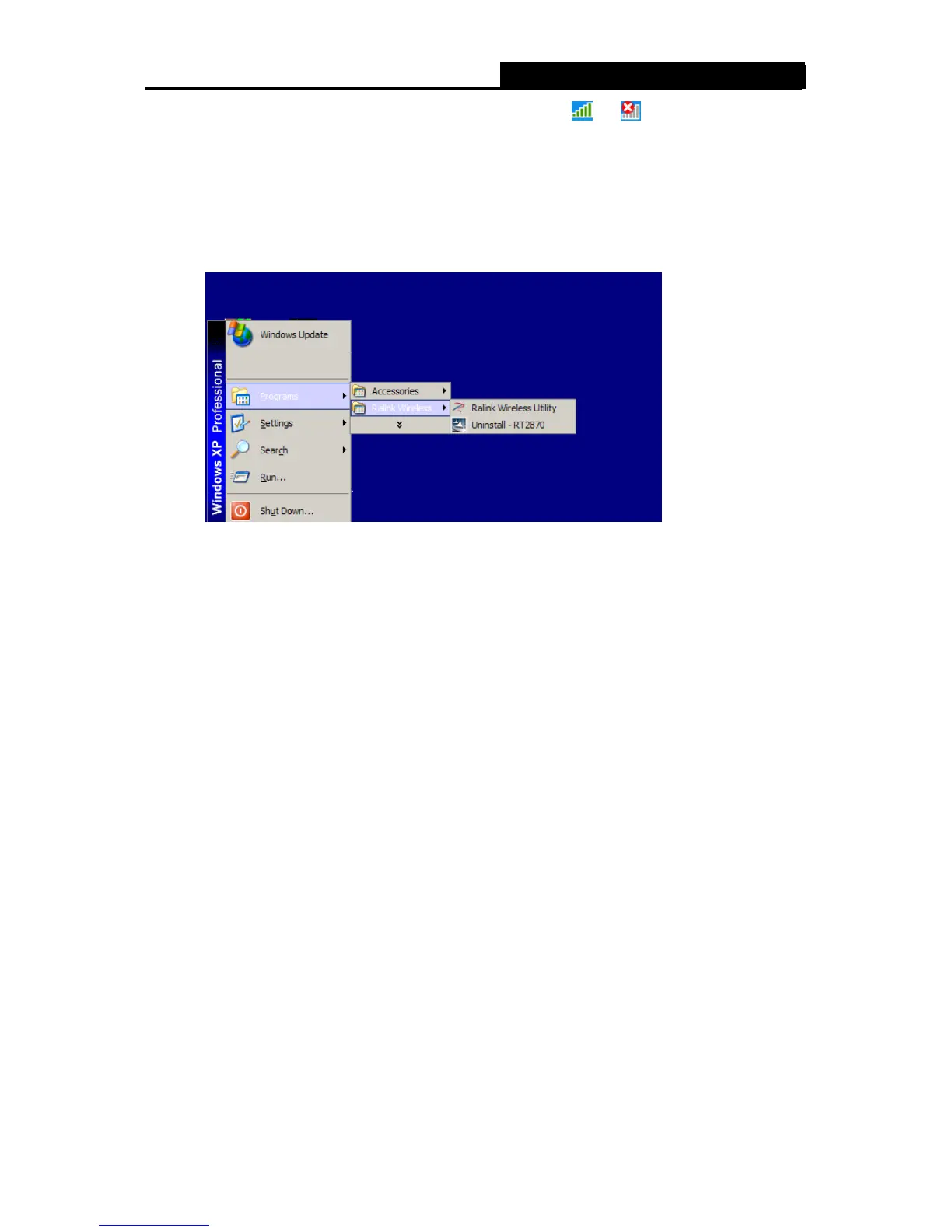
1. On the Windows taskbar, click the Start button, point to Programs Ralink Wireless, and
then click Uninstall RT2870.
Figure 2-7 Uninstall the Utility

Other manuals for Alfa Network AWUS036ACHM

Related product manuals