7.4.5 Back
Leave the Flight screen and return to the Main Menu.
7.5 Menu Options - Specific Elements
7.5.1 Route Management
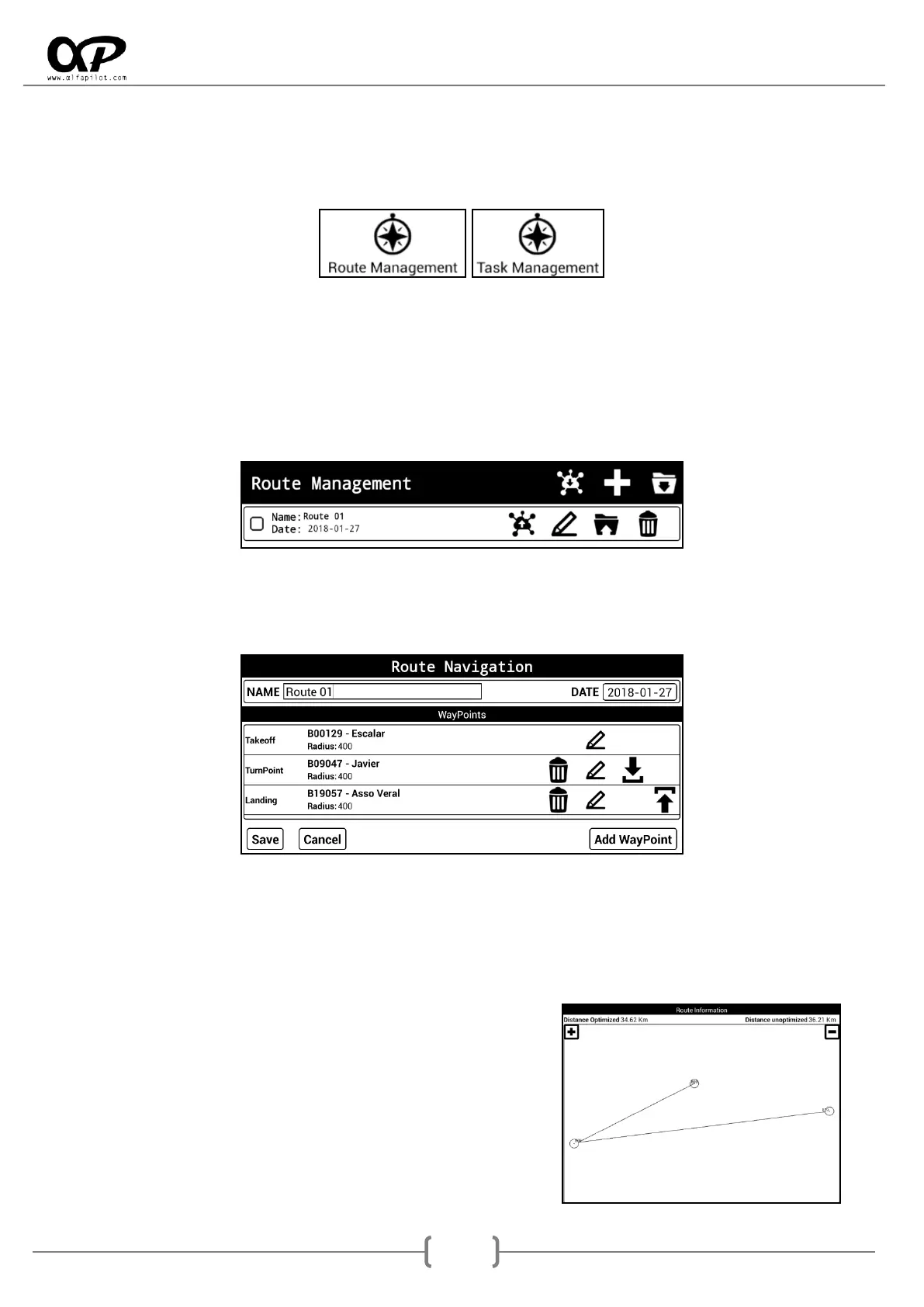
It will be available in flight mode "Routes". Through the icons above, we can receive, create or import a
route.
It also shows us a list of existing routes, which we can activate or deactivate, as well as Send, Edit, Export,
or Delete.
* For more information about the send and receive options (see section 6.7.1).
When creating or editing a Route, a new screen will open where we will have the options to configure this
Route with the following elements:
* It is necessary to have a waypoint package already defined and activated (see section 6.7.2).
Name: can indicate a name for the route.
Date: We can indicate the date for the route.
WayPoints List: Establishes the WayPoint and the order for the Route, and there must be at least
one takeoff and one landing.
Add WayPoint: It opens a dialog to add WayPoint (see section 7.5.3).
Route information: After entering the values of the route,
we will show the optimised and unoptimized distance of
the route. A graphic with WayPoints, optimal points, and
more, that allows us to move by click and drag in the
central zone, as well as zoom in or zoom out by clicking
on the icons "+" y "-".



 To Next Page