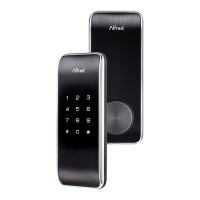
Installing the Z-wave Plus Module
IMPORTANT: the batteries must be removed prior to removing and/or
inserting the network module:
Remove battery cover and batteries.
Remove and/or insert network module.
Re-install batteries and battery cover
About Z-wave
This lock is a security enabled Z-wave product.
Inclusion(join) is detailed in Programming instruction under “Network
pairing instruction”
Exclusion(log off) is detailed in Programming instruction under “Network
pairing instruction”
This lock could be integrate with any Z-wave controller, from any
manufacturer.The lock will have limited functionality if integrated with a
non-secure controller.
Z-wave function descriptions
This device is a security enabled Z-wave Plus product that is able to
use encrypted Z-wave Plus messages to communicate to other security
S2 enabled Z-wave Plus products. This device must be used in
conjunction with a security enabled Z-wave controller in order to fully



 To Next Page