2
www.observint.com
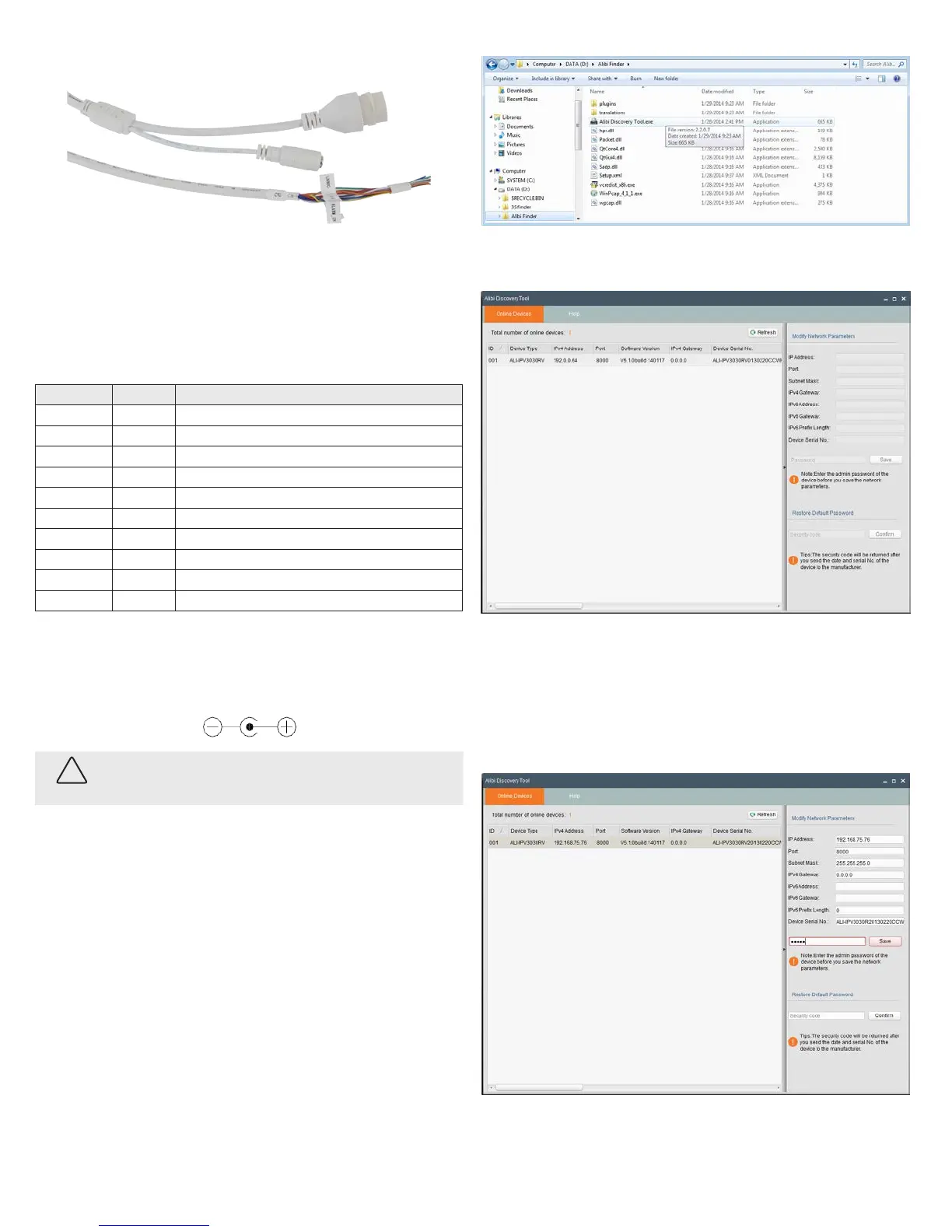
Connect camera drop cables to peripherals, LAN and power
Ethernet connector -
PoE capable
Peripheral interface wire bundle
12 Vdc Power
connector
Camera drop cables to Ethernet, power and peripheral devices
1. Route the camera power and LAN (or LAN with PoE), and peripheral interface wiring for the left and
right audio channels, alarm input and output , and microphone to the camera mounting location (or
into the electrical box).
2. Connect the wires in the peripheral interface wire bundle drop cable to peripheral devices as
needed. See the following table. The camera can connect to two microphones (L and R), an alarm
input sensor and an alarm output (reporting) device, and to two audio line out (L and R) channels.
Label Color Connects to:
LINE_OUT_R Brown Audio line right channel line input. Pair with LINE_GND.
LINE_GND Red Ground for line out left and right channels. Pair with LINE_OUT_L and LINE_OUT_R.
LIN /MIC- Orange Left microphone. Pair with MIC_GND.
RIN/MIC+ Yellow Right microphone. Pair with MIC_GND.
ALARMIN_GND Green Ground for alarm input sensor. Pair with ALARM_IN.
ALARM_IN Blue Alarm input sensor. Pair with ALARMIN_GND.
LINE_OUT_L Violet Audio line left channel line input. Pair with LINE_GND.
MIC_GND Gray (Slate) Ground for microphone left and right channels. Pair with LIN/MIC- and RIN/MIC+.
ALARMOUT_GND White Ground for alarm reporting device. Pair with ALARM_OUT.
ALARM_OUT Black Alarm reporting device. Pair with ALARMOUT_GND.
3. Connect the Ethernet LAN cable to the camera LAN drop cable. Protect the connection from
moisture and other contamination, if necessary. A weatherproof tting is provided.
4. If the camera is not powered using PoE (Power over Ethernet injector), connect the 12 Vdc power
cable to the camera drop cable. The polarity of the drop cable connector is shown below.
CAUTION
Do not apply power to the camera at this time. Before applying power to the camera, ensure that
the polarity is correct. An incorrect connection may cause a malfunction and can damage the
camera.
5. Secure the camera to the mounting surface, or adapter plate, using appropriate screws.
6. Apply power to the camera through the 12 Vdc power cable or PoE injector, as congured.
NOTE: Do not reattach the dome assembly at this time.
Step 2. Install the Alibi Discover Tool
The Alibi Discover Tool is a software utility used to “discover” Alibi cameras and NVRs/DVRs installed on the
LAN and change their network settings. The tool is provided on the CD with your camera. To use the tool:
1. Insert the software CD provided with your camera into an optical drive on the Microsoft Windows
computer you will use to access your camera on the LAN.
2. On the CD, nd the folder that contains the Alibi Discover Tool.
3. Copy the les in the folder to a new directory on your computer. The les should appear as shown in
the directory shown below.
4. To open the Alibi Discover Tool, double click the le Alibi Discover Tool.exe. The tool will
automatically discover Alibi cameras and recorders installed on the network.
In the screen shown above, an ALI-IPV3030RV camera was discovered. This camera, although
installed on a subnet other than the one implied by its IP address is shown, is still found by the tool.
5. To change the network settings of the camera to be compatible with the subnet where it is installed,
do the following:
a. Click the device to highlight it. Notice that the network parameters are populated in the frame
on the right.
© 2014 Observint Technologies. All rights reserved.



 To Next Page
 Loading...