13
Version 1.01
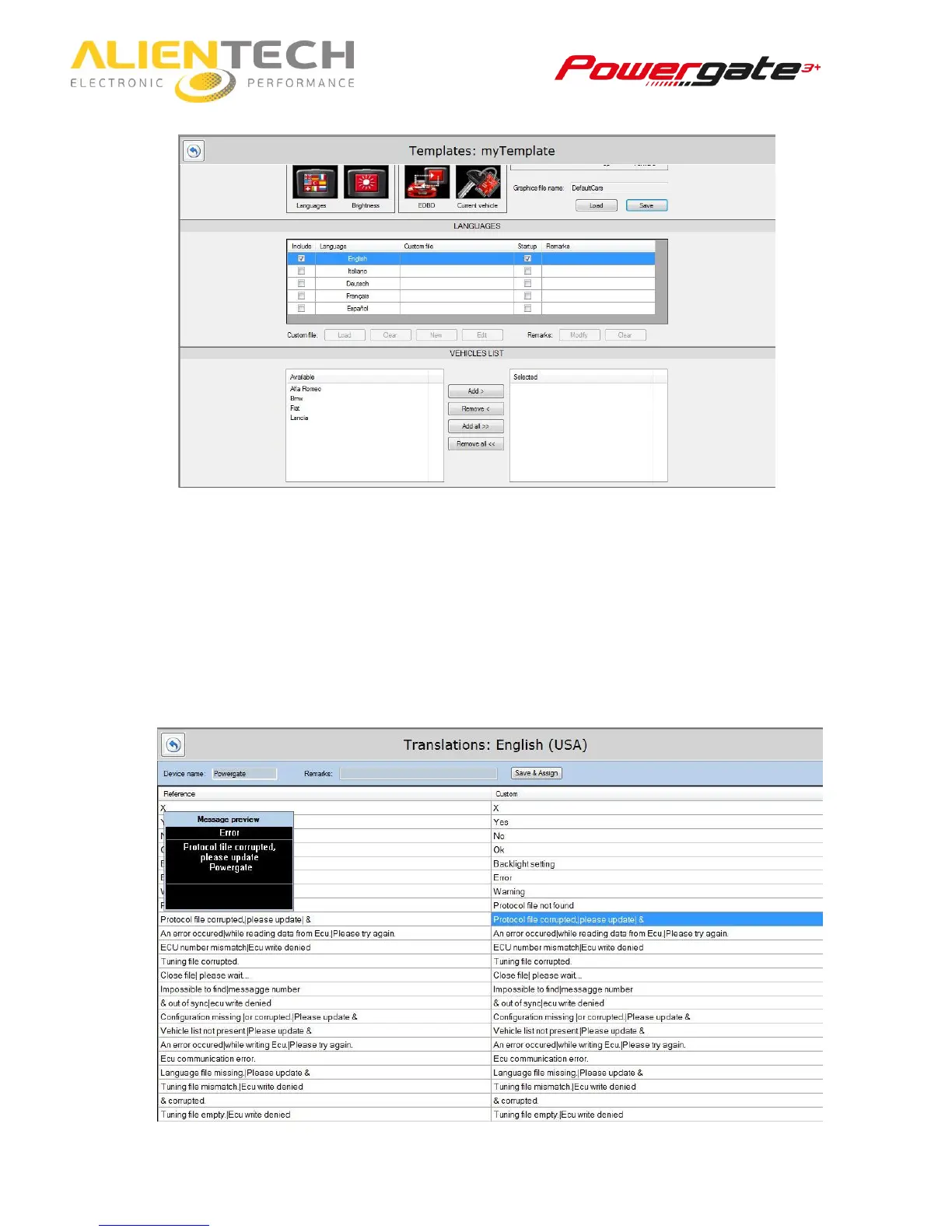
6. Scroll down the screen to display other options to customize.
7. Select a language and then click on New to add your translation or check the message
length. If you’ve already created a translation, click on Load to choose among the ones
available.
On the left there is the reference string, on the right the one you can customize just by
clicking on it.
For each message you can see a preview at your left (option not available for menu items
or choice buttons).
‘&’ stands for the name of your device
‘|’ is a breaking space



 To Next Page