
 Need help?
Do you have a question about the AlienTek DP100 and is the answer not in the manual?
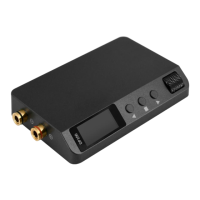
Details the physical layout and labeled components of the DP100 device.
Explains the display elements and information shown on the DP100's primary operational screen.
Guides users on how to navigate and operate the DP100 using its buttons and adjustment wheel.
Describes the interface for setting and managing saved output configurations (voltage, current, protection).
Details the steps for adjusting and saving parameters within the preset interface.
Outlines the structure and items available within the DP100's main menu system for settings.
Provides step-by-step guidance on how to navigate and modify settings within the DP100 menu.
Introduces the primary software interface for controlling the DP100, including device info and waveforms.
Describes the software interface for timed output sequences and advanced control of the DP100.
Explains the process for updating the DP100's internal firmware.
Provides detailed steps and notes for performing firmware upgrades on the DP100.
Details how to check for and download updates for the ATK-DP100 control software.
 General
| Brand | AlienTek |
|---|---|
| Model | DP100 |
| Category | Portable Generator |
| Language | English |

 To Next Page