1,Quick Start
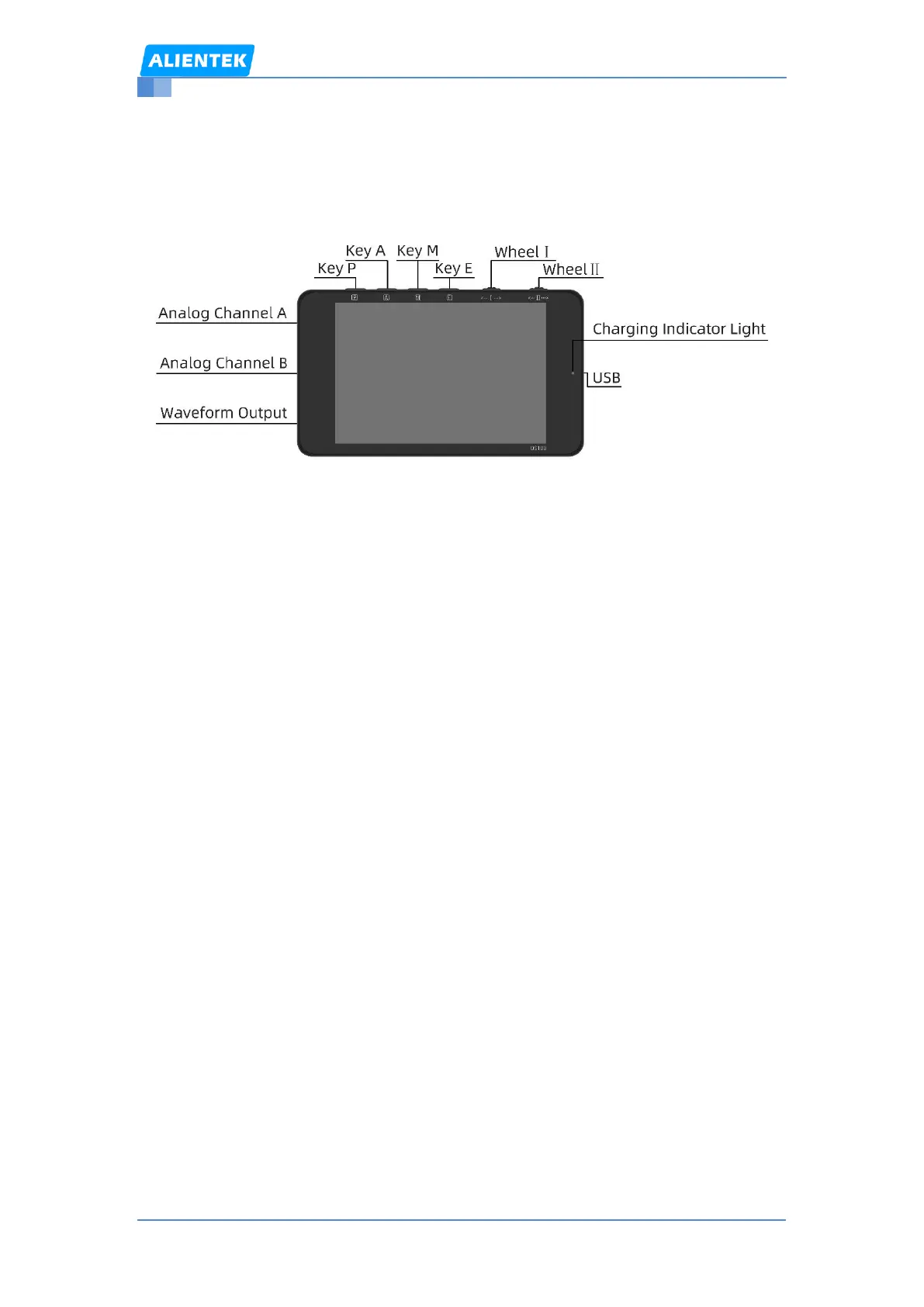
1.1,Appearance
1.2,Key Function
Key P:Long press,Power on/off;Short press,Pause/Run
Key A:Auto set
Key M:Menu/ Confirm
Key E:Exit/ Quick Center / Double click to switch channels
Wheel Ⅰ:Select the item
Wheel Ⅱ:Set the item
Shortcut Key:
1、 Key M + Key E:Printscreen(The USB status UI is invalid)
2、 Press key M + Wheel Ⅰ:Adjust the horizontal position
3、 Press key M + Wheel Ⅱ:Adjust the vertical position
4、 Press key E + Wheel Ⅰ:Adjust the timebase
5、 Press key E + Wheel Ⅱ:Adjust the vertical scale
1.3,UI
1.3.1,Main UI
The yellow items correspond to channel A and the green items correspond to
channel B.
The Main UI is illustrated in the following two figures:



 To Next Page