Alienware Area-51 m5750 Technical Reference
24
Keyboard Features
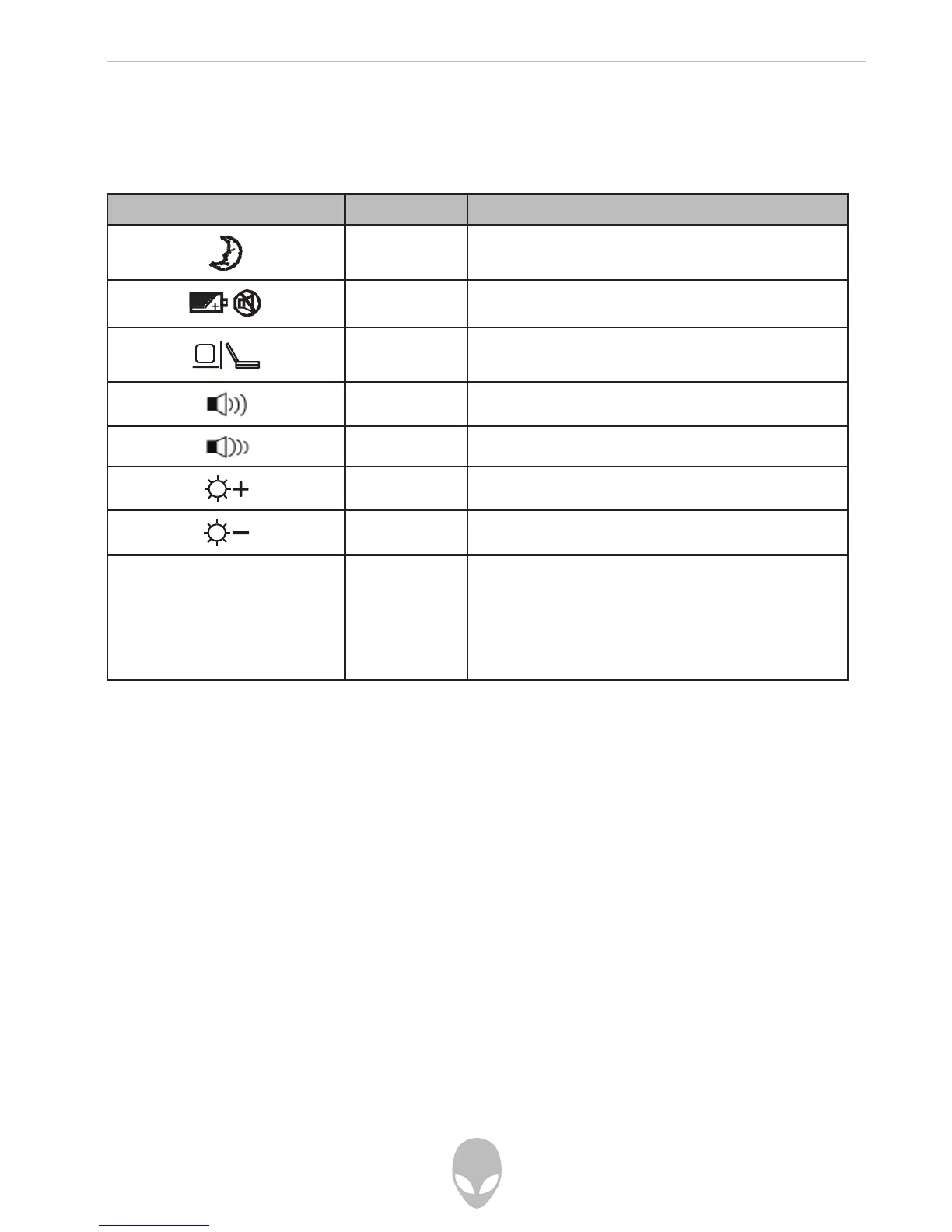
Function Keys (Quick Keys)
Graphic Symbol Action System Control
Fn + F1 Enters Suspend Mode.
Fn + F3 Turns the battery warning beep off or on.
Fn + F4 Changes Display Mode: LCD-only, CRT+DVI
and LCD+CRT
Fn + F5 Turns Speaker Volume up.
Fn + F6 Turns Speaker Volume down.
Fn + F7 Increases Display Brightness.
Fn + F8 Decreases Display Brightness.
Num Enables the numeric keypad to work in
numeric mode. Use this mode when you
need to do a lot of numeric data entry. Press
Num again and the keys will work as scroll/
cursor (direction) keys.
For various system controls, press the Fn (Function) key and the Fx key simultaneously.















 To Next Page