Alienware Area-51 m5750 Technical Reference
59
Installing a Memory Module (DIMM) into Your System
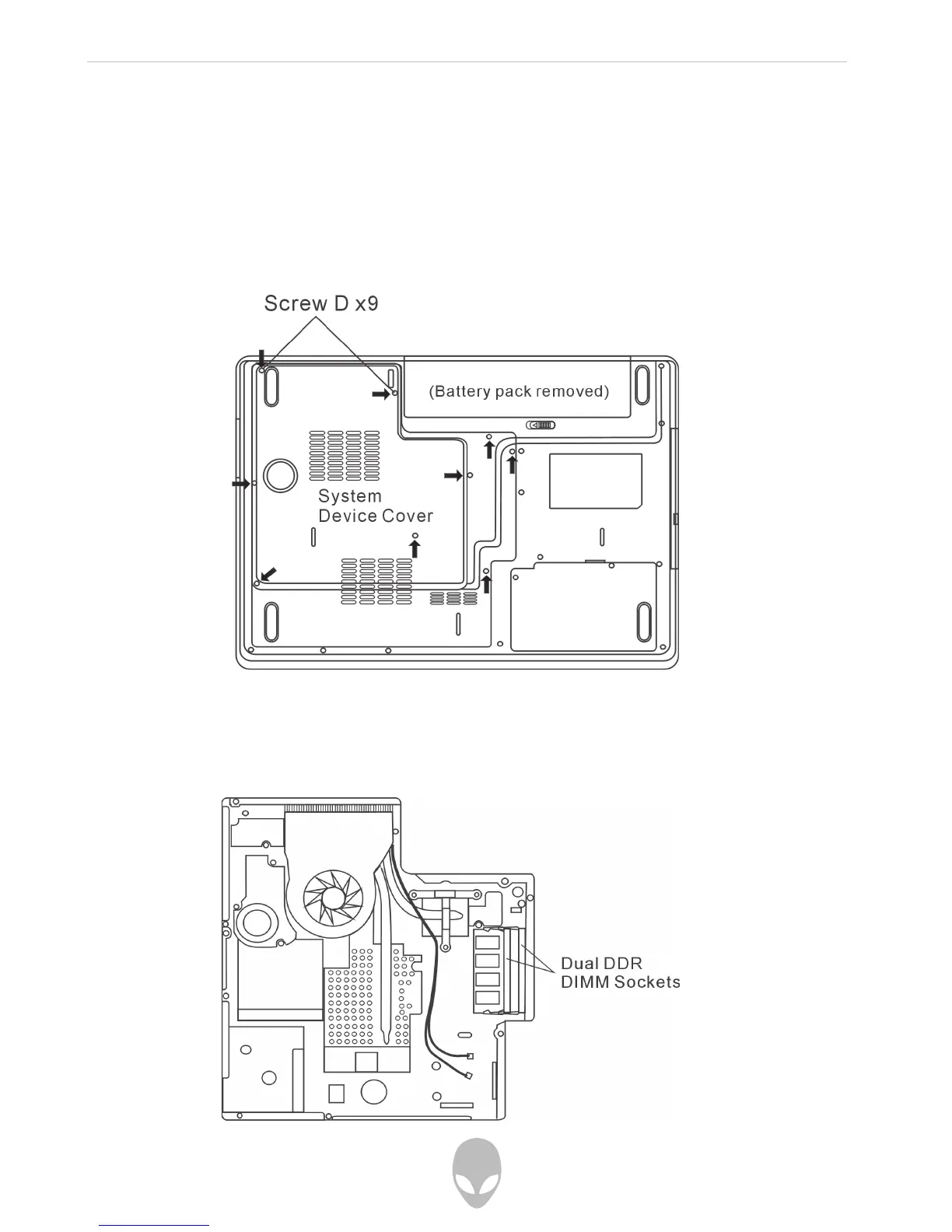
To install the DIMM under the System Device Cover, do the following:
1. Power OFF the notebook. Unplug the AC cord and all cables/devices attached
to the notebook. Remove the battery.
2. Place your hand on a large metal object momentarily to discharge any static
electricity. Place the notebook on a flat surface and fully close the LCD lid.
3. Locate and remove 9 Screw D’s on the System Device Cover.
4. Remove the System Device Cover. The DIMM socket can now be seen as
shown below.















 To Next Page