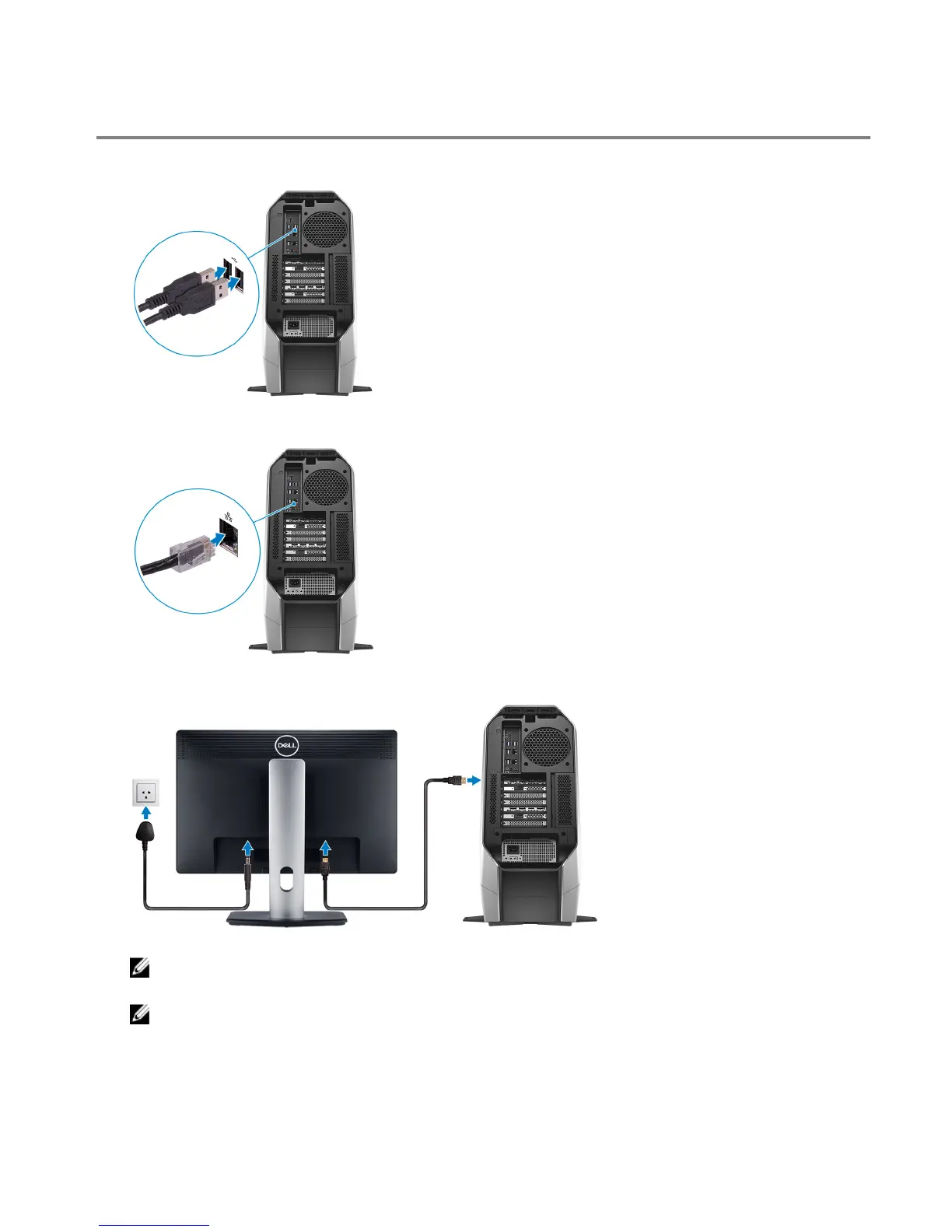
Set up your computer
1 Connect the keyboard and mouse.
2 Connect to your network using a cable, or connect to a wireless network.
3 Connect the display.
NOTE: The DisplayPort on the back panel of your computer is covered. Connect the display to the discrete
graphics card of your computer.
NOTE: If you have one graphics card, PCI-Express (graphics) slot 1 will be the primary graphics card. If you
have two graphics card, PCI-Express (graphics) slot 4 will be the primary graphics card. If you have three or
four graphics card, PCI-Express (graphics) slot 7 will be the primary graphics card.
4















 To Next Page