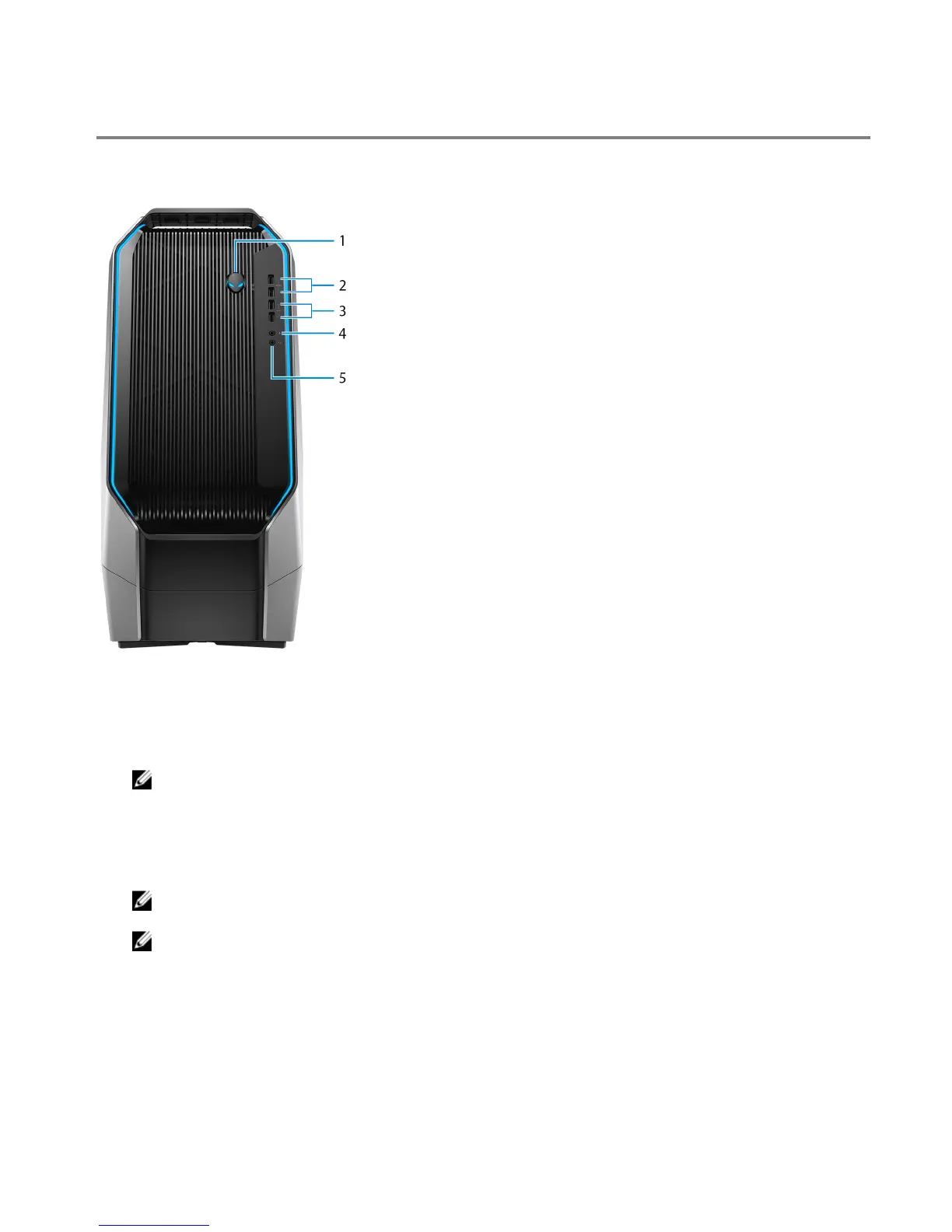
Views of Alienware Area-51 R7
Front
1 Power button (Alienhead)
Press to turn on the computer if it is turned o, in sleep state, or in hibernate state.
Press to put the computer in sleep state if it is turned on.
Press and hold for 4 seconds to force shut-down the computer.
NOTE: You can customize the power-button behavior in Power Options.
2 USB 3.1 Gen 1 port with PowerShare (2)
Connect peripherals such as external storage devices and printers.
Provides data transfer speeds up to 5 Gbps. PowerShare enables you to charge your USB devices even when your
computer is turned o.
NOTE: If your computer is turned o or in hibernate state, you must connect the power adapter to charge your
devices using the PowerShare port. You must enable this feature in the BIOS setup program.
NOTE: Certain USB devices may not charge when the computer is turned o or in sleep state. In such cases,
turn on the computer to charge the device.
3 USB 3.1 Gen 1 ports (2)
Connect peripherals such as external storage devices and printers. Provides data transfer speeds up to 5 Gbps.
4 Microphone port
Connect an external microphone to provide sound input.
5 Headphone port
Connect a headphone or speakers.
7















 To Next Page