Back
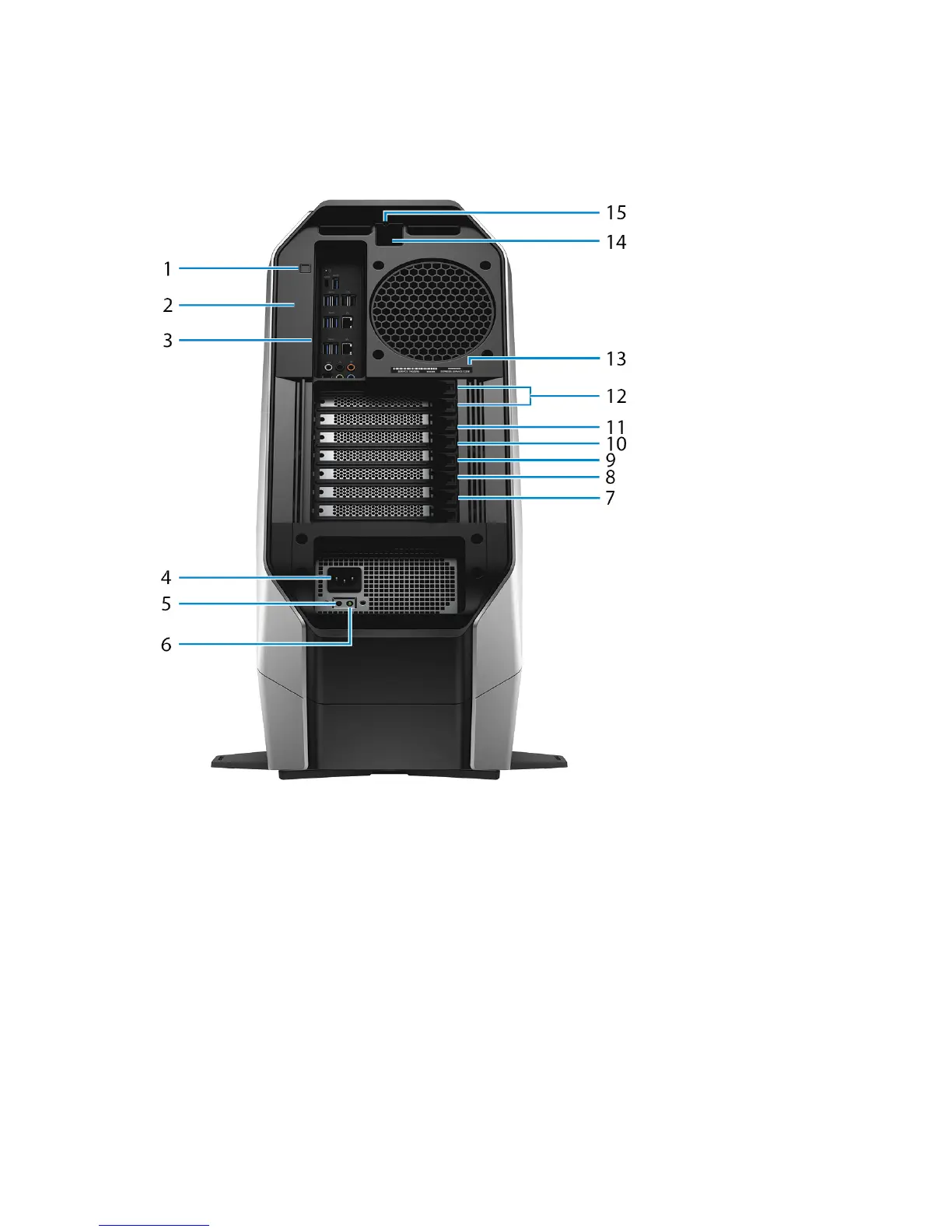
1 Rear I/O accessibility lighting button
Press to illuminate the back panel ports.
2 Regulatory label
Contains regulatory information of your computer.
3 Back panel
Connect USB, audio, video, and other devices.
4 Power cable connector
Connect a power cable to provide power to your computer.
5 Power-supply diagnostics button
11















 To Next Page