Setting up the Virtual Reality (VR)
headset — optional
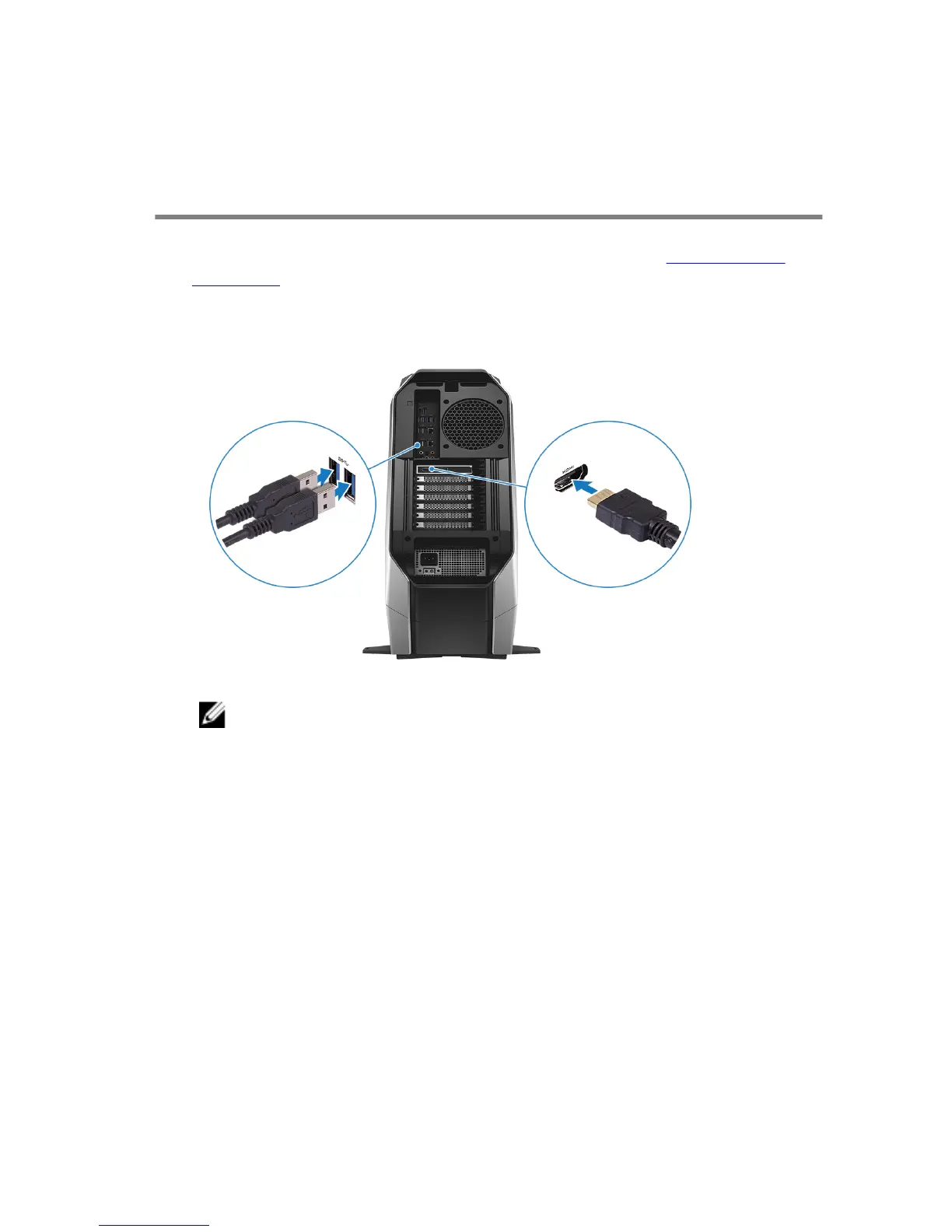
1 Download and run the setup tools for your VR headset at www.dell.com/
VRsupport.
2 Connect the VR headset to any USB 3.1 Gen 1 ports on the back of your
computer and HDMI port on your computer, when prompted.
NOTE: Connect the headset to the HDMI port on the discrete
graphics card and connect the display to any available port on
the card.
3 Follow the instructions on the screen to complete the setup.
8















 To Next Page