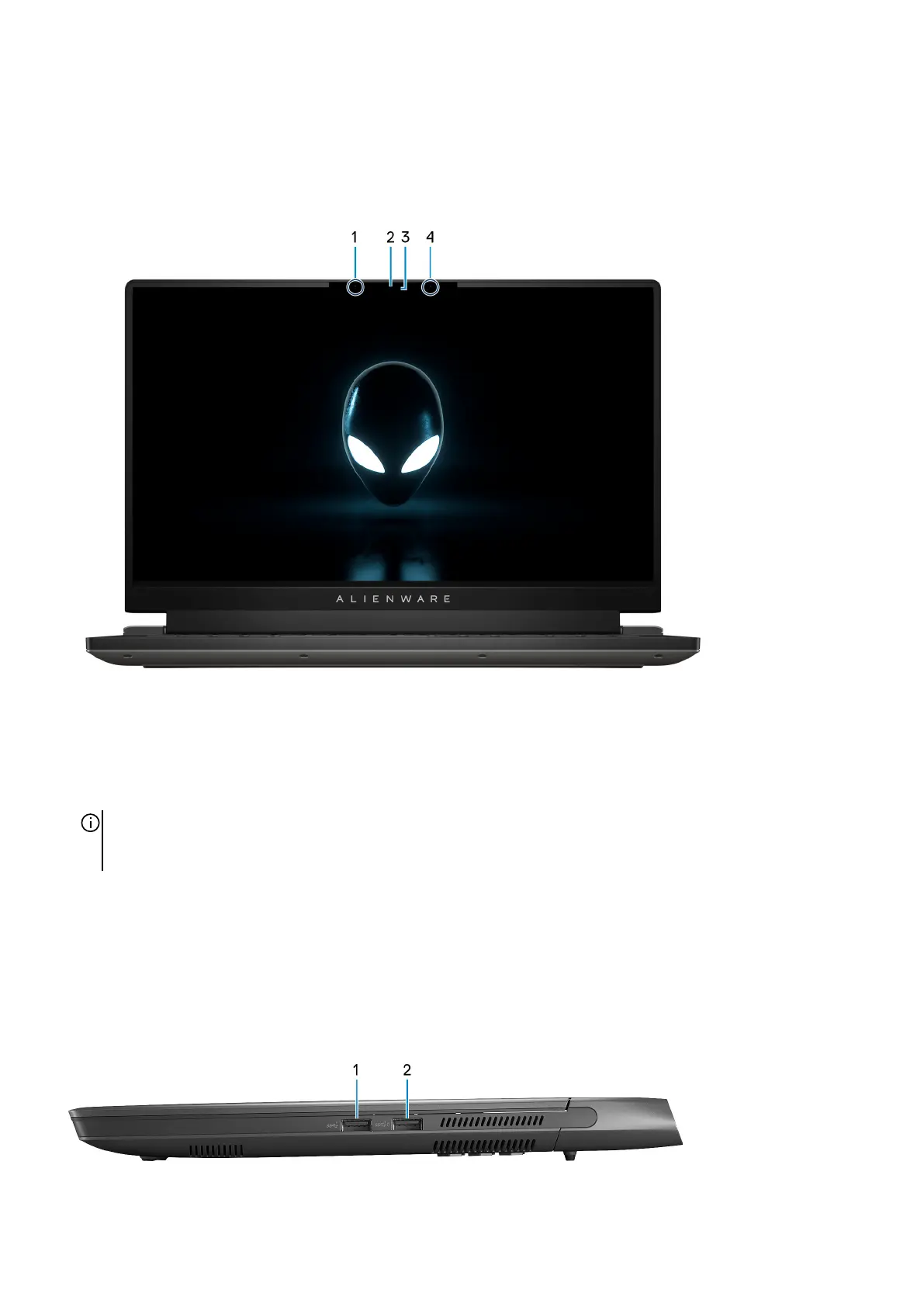
Views of Alienware m15 R7
Front
1. Left microphone
Provides digital sound input for audio recording and voice calls.
2. RGB-infrared camera
This combined camera supports both infrared Windows Hello facial recognition and standard RGB imaging for photos and
videos.
NOTE: Depending on the display configuration ordered your computer may ship with a HD RGB camera that enables you to
video chat, capture photos, and record videos. For this configuration, the infrared emitters will not be featured in the camera
module.
3. Camera-status light
Turns on when the camera is in use.
4. Right microphone
Provides digital sound input for audio recording and voice calls.
Right
1. USB 3.2 Gen 1 port
5












 To Next Page