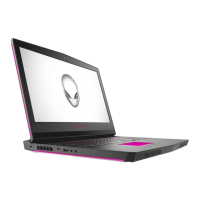
The Alienware m17 R4 is a high-performance gaming laptop designed for an immersive user experience. This device features a robust design with various ports and components strategically placed for optimal functionality and connectivity.
Function Description
The Alienware m17 R4 serves as a powerful portable computing solution, primarily aimed at gaming enthusiasts. It integrates advanced hardware and software features to deliver a seamless and responsive gaming experience. The laptop is equipped with a comprehensive set of input/output ports, allowing for extensive peripheral connectivity, external display support, and network access. Its internal architecture is designed to handle demanding applications, including high-fidelity games, content creation, and multitasking. The device also incorporates specialized features like AlienFX lighting, which allows for personalized aesthetic customization, enhancing the overall user interaction.
Usage Features
The Alienware m17 R4 offers a wide array of usage features that cater to both casual and hardcore gamers, as well as users requiring high computational power.
Connectivity:
- Right Side: The right side of the laptop includes a microSD-card slot, supporting Micro Secure Digital (mSD), Micro Secure Digital High Capacity (mSDHC), and Micro Secure Digital Extended Capacity (mSDXC) cards for convenient data transfer. Additionally, two USB 3.2 Gen 1 ports are available for connecting external storage devices, printers, and other peripherals, offering data transfer speeds up to 5 Gbps.
- Left Side: The left side features a security-cable slot (wedge-shaped) for securing the device against unauthorized movement. A network port (RJ45) allows for wired Ethernet connection to a router or broadband modem for stable internet access. A USB 3.2 Gen 1 port with PowerShare functionality enables charging of USB devices even when the computer is turned off. This port provides data transfer speeds up to 5 Gbps. A headset port is also present for connecting headphones or a headset (headphone and microphone combo).
- Back Side: The rear of the laptop provides an HDMI port for connecting to external displays or TVs, supporting video and audio output. A Mini DisplayPort offers an alternative for connecting to DisplayPort-enabled devices. A Thunderbolt 3 (USB Type-C) port with Power Delivery supports USB 3.2 Gen 2, DisplayPort 1.4, and Thunderbolt 3, offering data transfer rates up to 10 Gbps for USB 3.2 Gen 2 and up to 40 Gbps for Thunderbolt 3. It also provides up to 5 V power output for faster charging. An external graphics port is included for connecting an Alienware Graphics Amplifier to boost graphics performance. Finally, a power-adapter port is available for connecting the power adapter to supply power and charge the battery.
- Touchpad: The touchpad allows for intuitive navigation, with support for left-click (single finger tap) and right-click (two-finger tap) gestures. Dedicated left-click and right-click areas are also provided for precise control.
- Keyboard: The keyboard features a multi-zone RGB lighting system, with options for 4-zone RGB or RGB per key, allowing for extensive customization of lighting effects. It supports various layouts (e.g., United States and Canada: 103 keys, United Kingdom: 104 keys, Japan: 107 keys) and includes pre-programmable macro keys for executing multiple actions with a single key press. Function keys (F1-F12) can be customized for primary behavior (e.g., media control or standard function keys) through the BIOS setup program. Keyboard shortcuts combine the Fn key with function keys to perform actions such as disconnecting the Alienware Graphics Amplifier, enabling/disabling wireless, muting audio, adjusting volume, switching to external display, adjusting brightness, and enabling/disabling the touchpad or AlienFX.
- Camera and Microphones: The front of the laptop houses an HD RGB camera for video chat, photo capture, and video recording. A camera-status light indicates when the camera is in use. Left and right microphones provide digital sound input for audio recording and voice calls.
- Tobii Eye Tracker (Optional): An optional Tobii Eye Tracker allows for interaction with the computer using eye movements, providing an additional layer of control and immersion, particularly in gaming.
Audio:
The Alienware m17 R4 features a 2-way (woofer/tweeter) stereo speaker design, delivering clear audio output. It supports high-definition audio and includes a universal audio jack and HDMI 2.1 port for external audio connections. External volume controls are available via keyboard shortcuts.
Power Management:
The power button, shaped like an Alien head, is used to turn the computer on, put it into sleep state, or force shut it down. The behavior of the power button can be customized in Windows. The laptop is powered by a power adapter and an internal battery, with features like PowerShare for charging USB devices.
Software Integration:
- Alienware Command Center (AWCC): AWCC is a central interface for customizing and enhancing the gaming experience. It allows users to manage game-specific profiles, themes, lighting (AlienFX zones), and macros. AWCC also provides control over power management, sound management, and thermal management. It supports monitoring of CPU, GPU, and RAM.
- AlienFX: This feature enables users to create, assign, and share game-specific lighting maps and individual lighting effects across multiple zones on the computer, including the keyboard and power button.
Operating System:
The Alienware m17 R4 supports various operating systems, including Windows 11 Home (64-bit), Windows 11 Pro (64-bit), Windows 10 Home (64-bit), and Windows 10 Pro (64-bit).
Maintenance Features
While the manual primarily focuses on setup and specifications, it implicitly suggests several maintenance-related practices:
- Power Adapter Usage: Always connect the power adapter to provide power and charge the battery. This ensures consistent performance and battery longevity.
- USB PowerShare Awareness: When using the PowerShare feature, be aware that if the computer's battery charge is below 10 percent, the power adapter must be connected to charge both the computer and USB devices. Also, if a USB device is connected before the computer is turned off or hibernates, it may need to be reconnected to resume charging.
- BIOS Setup for Function Keys: The ability to define the primary behavior of the function keys (F1-F12) in the BIOS setup program allows users to configure the keyboard to their preference, which can be considered a form of user-level maintenance for optimal workflow.
- Dell Support Resources: The manual directs users to Dell's support website (www.dell.com/support) and the Alienware Command Center Online Help for troubleshooting, drivers, manuals, and knowledge base articles. These resources are crucial for diagnosing and resolving issues, performing software updates, and accessing detailed information about the device.
- Service Tag: The Service Tag is a unique identifier that enables Dell service technicians to identify hardware components and access warranty information. This is vital for professional maintenance and repair services.
- Cleaning: Although not explicitly stated, the presence of various ports and vents implies the need for regular cleaning to prevent dust accumulation, which can affect performance and longevity.
- Software Updates: Regular updates to the operating system, drivers, and Alienware Command Center software are essential for maintaining optimal performance, security, and compatibility.

 Need help?
 General












 To Next Page