45
CHAPTER 4: INSTALLING ADDITIONAL OR REPLACEMENT COMPONENTS
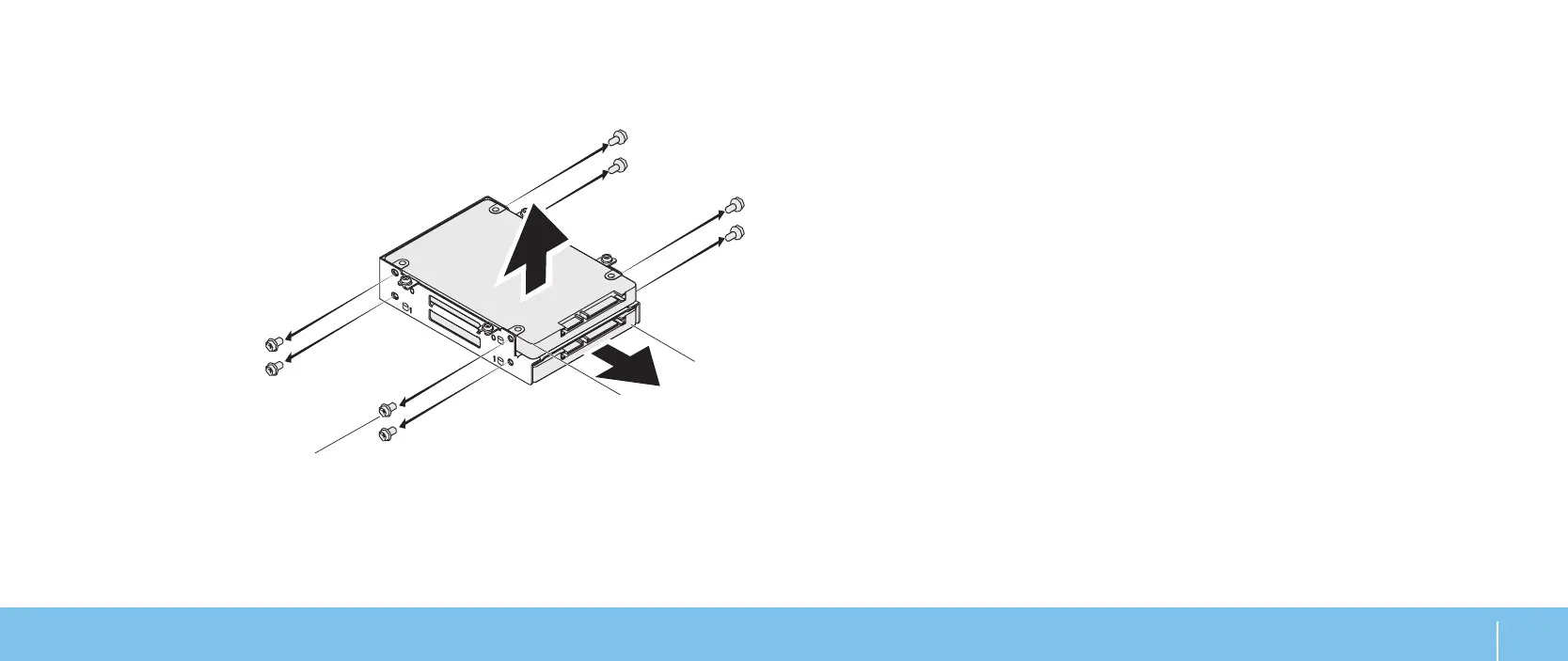
Remove the four screws that secure the primary hard drive (HDD0) and lift 9.
the hard drive out of the hard‑drive bracket.
Remove the four screws that secure the secondary hard drive (HDD1) and 10.
slide the hard drive out of the hard‑drive bracket.
1 screws (8) 3 secondary hard drive (HDD1)
2 primary hard drive (HDD0)
To replace the hard drive(s), perform the removal steps in reverse order.


 To Next Page