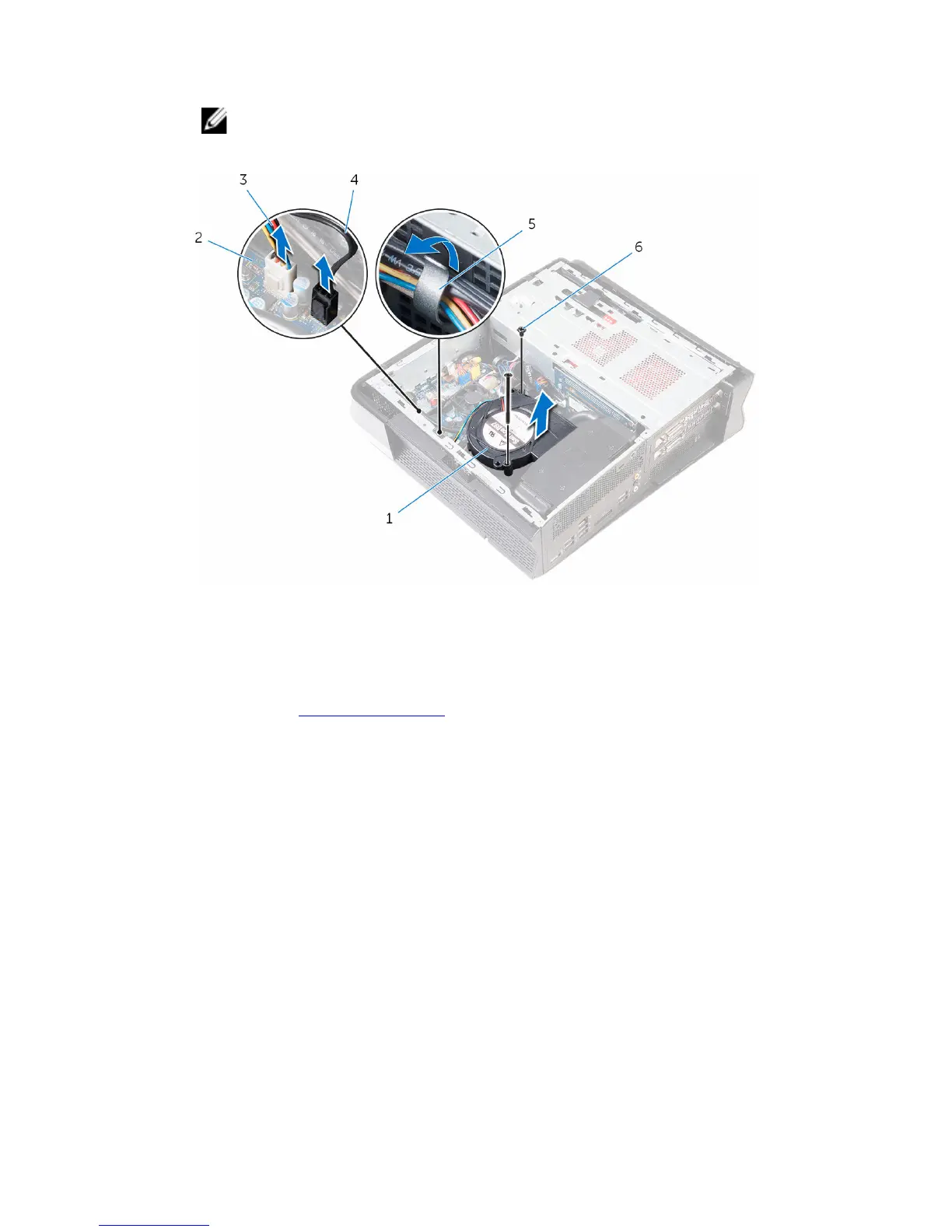
4 Lift the fan off the processor cooling assembly.
NOTE: Note the orientation of the fan so that you can replace it
correctly.
1 fan 2 system board
3 fan cable 4 processor-cooler cable
5 routing guides 6 screws (2)
5 Remove the memory modules.
6 Remove the screws that secure the radiator to the chassis.
15














 To Next Page