process can take a while, the watch must
be near the phone during the installation�
6.
After the installation is complete,
th e watc h fa c e is ava i l a b l e i n t h e s e l e c t i o n
on the watch (see the chapter →
Changing
t h e ap p e a r a n c e o f t h e w a t c h fac e
)�
Se t t in g a c us to m i ma ge on t h e d ia l
1.
In the
watch faces
t a b
K K
,
tap
Custom dial
L L
�
2.
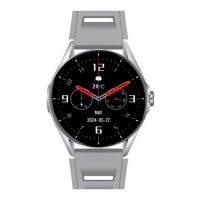
Yo u c a n s e t y o u r o w n ph o to or i m age
as t h e ba c kg rou n d of t h e wat c h f a c e us i n g
the
camera
b u t to n i n th e top r i g h t c o r n e r
of th e watc h fa c e�
3.
Yo u can c h o o s e f r o m 2 o pti o n s:
Camera
o r
Album
�
4.
Yo u c a n al s o set you r ow n fo nt c o l o r
and placement of information on the screen
or adjust the brightness of the selected
photo/image�
5.
Press the
Save
b u t to n at t h e bo t to m
of th e scr e e n to sa ve you r c h a n g e s
and u p l o ad y our o w n w a tc h fa c e�
Training record on the watch
The w atc h a l l o ws y ou to r e c o rd t r ain i n g
for several sports (see → th e
Functions
section
)� After the workout is completed,
th e tra i n ing d a ta i s s ave d an d c a n be v i e we d
back in the home tab, under the
Sports
t a b�
Caution!
– If you stop recording less than 1
m i n u t e a f t e r st a r t i n g , yo u w i l l no t b e a b l e
to save the recording data�
75



 To Next Page