Allen-Bradley Ethernet Driver
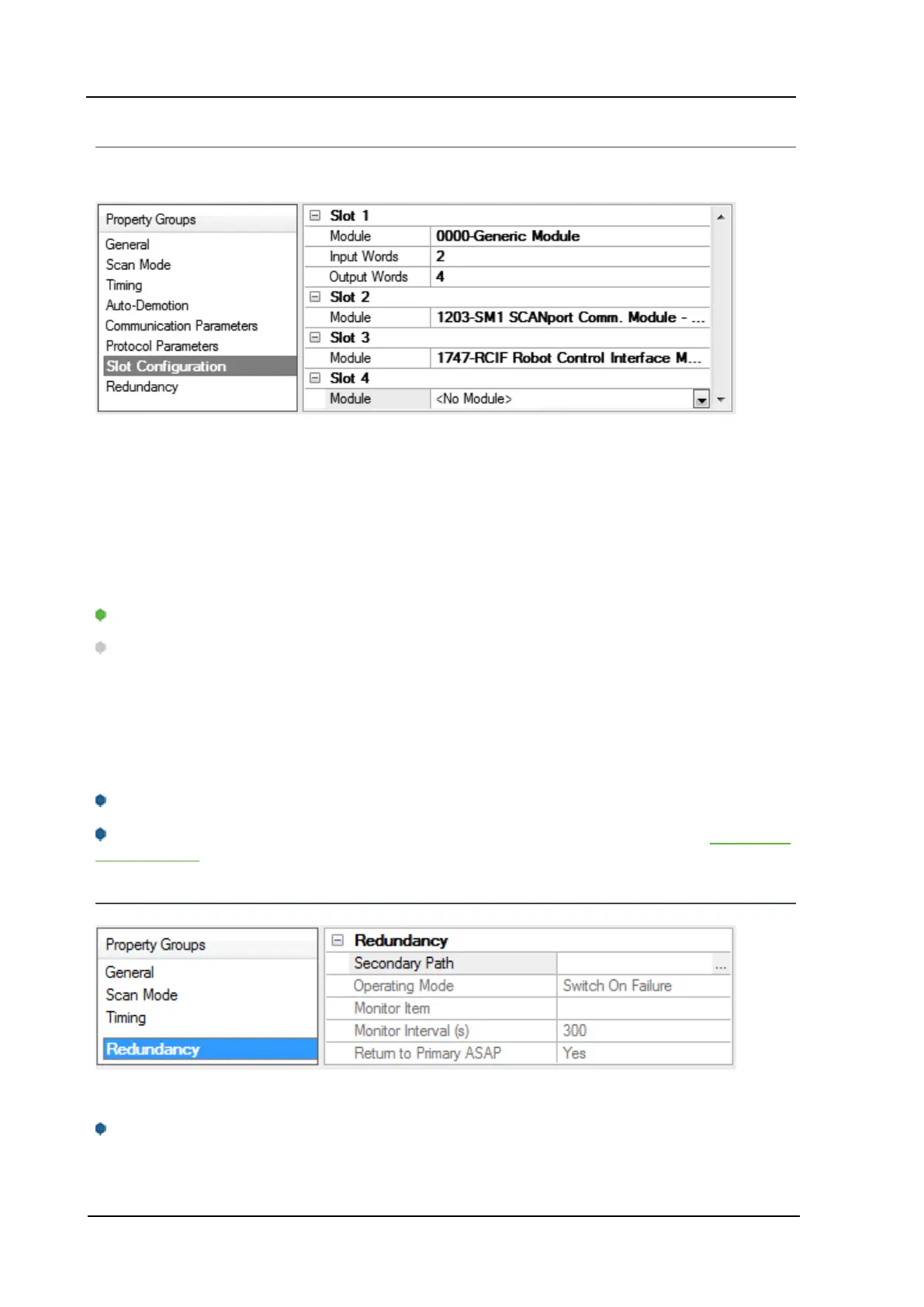
Device Properties - Slot Configuration
SLC500 models (with modular I/O racks) must be configured for use with this driver if the I/O is to be accessed
by the driver. Up to 30 slots can be configured per device.
To use the slot configuration:
1. Select the slot to be configured by clicking on the row in the module list box.
2. To select a module, click on it from the available modules drop-down list.
3. Configure the Input Words and Output Words if necessary.
4. To remove a slot/module, select No Module from the available modules drop-down list.
5. When complete, click OK.
Tip: Use the 0000-Generic Module to configure I/O that is not contained in the list of Available Modules.
Note: It is common to have open slots in the rack that do not contain a physical module. To correctly access
data for the various slots that do contain a module, the preceding module(s) must have the correct number of
words mapped. For example, if only interested in the I/O in slot 3, but slots 1 and 2 contain I/O modules, the cor-
rect modules must be selected for slots 1, 2, and 3 from this slot configuration group.
0000-Generic Module
Use the Generic Module to map Input and Output words for modules that are not represented in the list of avail-
able modules. To correctly use the Generic Module, users must know the number of Input and Output words
required for each module.
Consult Allen-Bradley I/O user manual documentation to confirm Input and Output requirements and be
aware that requirements may be different based on Class 1 or Class 3 operation.
For information on the number of input and output words available for each I/O module, refer to Modular I/O
Selection Guide.
Device Properties - Redundancy
Redundancy is available with the Media-Level Redundancy Plug-in.
Consult the website, a sales representative, or the user manual for more information.
www. kepware.com
14


 To Next Page
 Loading...